Photos from the 2024 Great Solar Eclipse

This was my first time experiencing a total eclipse, and it did not disappoint! But the day did not go as planned.

April 8, 2024 total solar eclipse
Montreal, Canada
Benoit Guertin

A friend amateur astronomer invited me to his cottage in Sutton, Quebec, to be able to view the eclipse in a location that was ideal, located just a few kilometers from the center of the path of totality. At that spot, the eclipse would last nearly 3 minutes and 30 seconds. The forecast was for perfect blue skies, in fact eastern Quebec appeared to be the best spot in all of North America to watch the eclipse without cloud cover.

That morning I planned my trip, packed up the car with my telescope, camera, laptop table, chair, and was looking forward to the day. According to Google Maps, I would get to Sutton with 1hr to spare, enough time to setup the equipment.
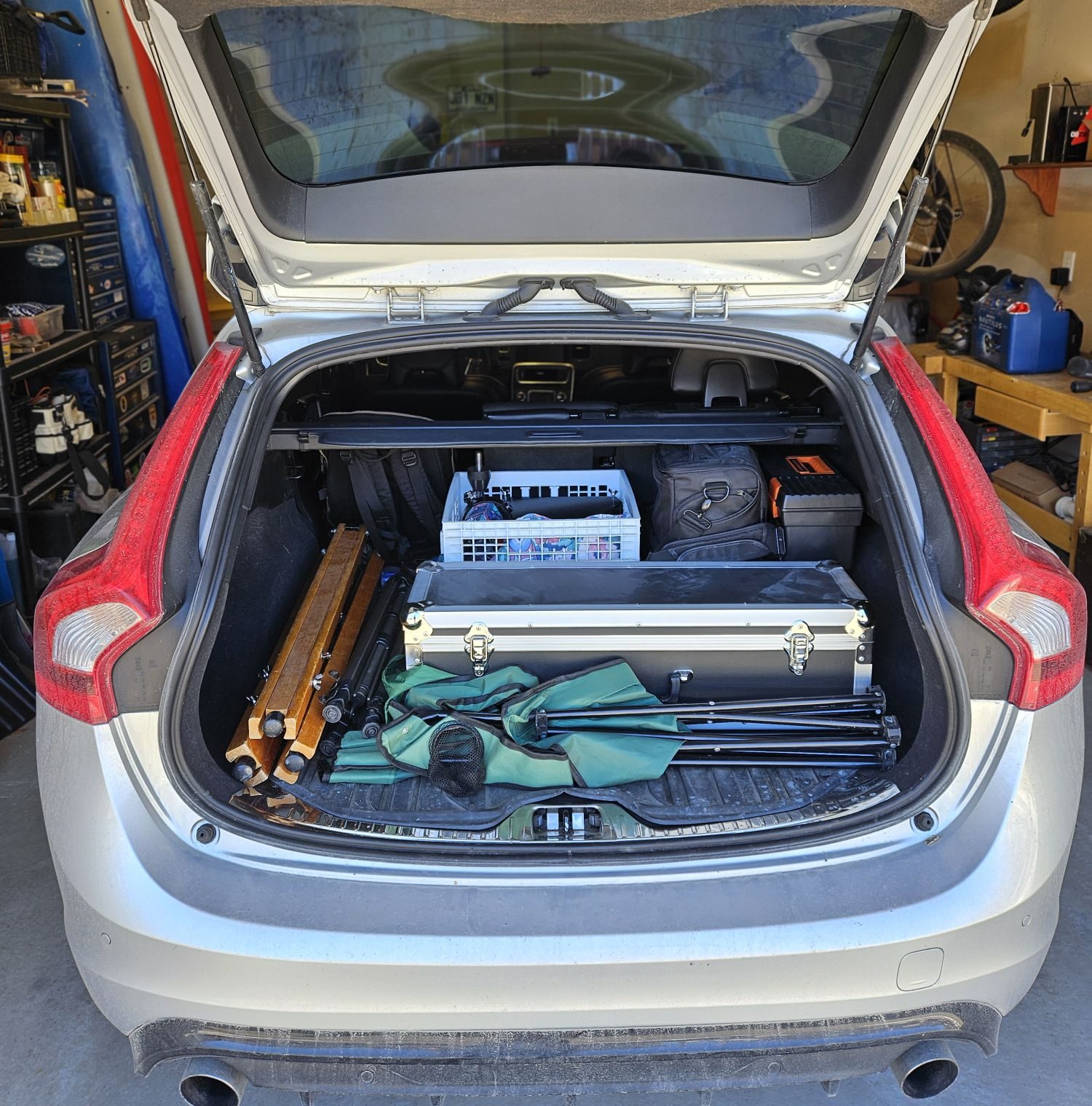
However once on the road the traffic situation changed rapidly as thousands of people were heading out to the eastern townships searching the ideal place to view the eclipse. Montreal being an island, the crossing points are limited and this resulted in terrible gridlock traffic as everyone appeared to hit the road at the same time. Two hours later, when I should have been approaching Sutton, I was still on the island of Montreal trying to make it across a bridge.
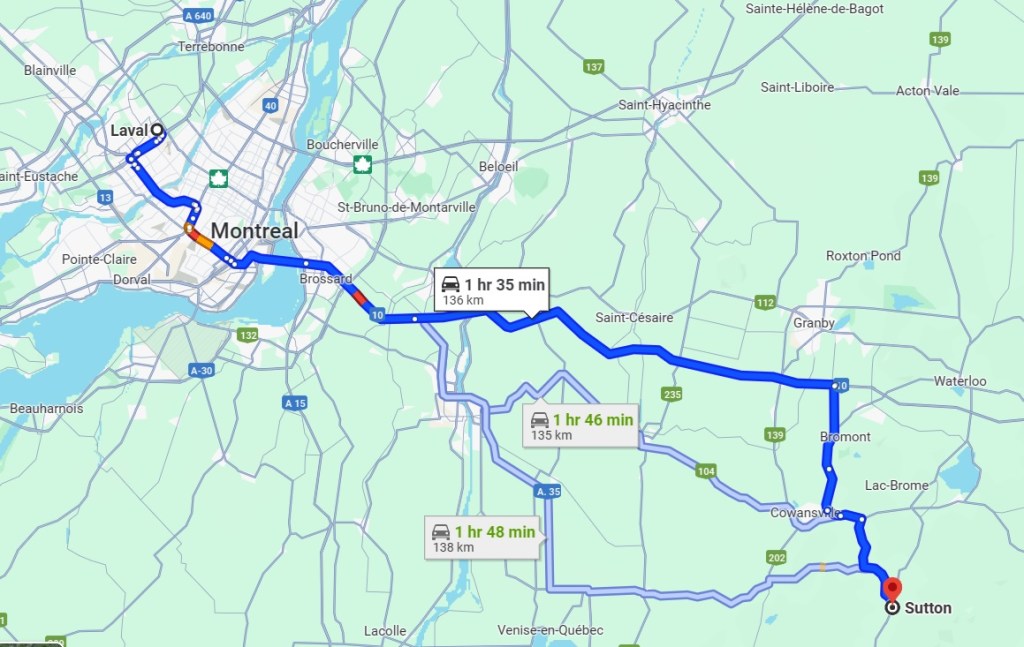
There I was sitting in a traffic jam, Google Maps kept increasing the ETA as I was barely moving a car length per minute and I was loosing all my equipment setup time. On top of that, I was starting to wonder if I even had enough gas in the car to make it. Creeping along in stop-n-go traffic was killing the fuel economy. I was starting to wonder if I should think of a plan B.

With a lot of patience I reached Brossard on the south short and was now on highway 10 to the eastern townships, free from the city of Montreal. But the highway was behaving closer to a shopping center parking lot on December 23rd. The worse scenario was starting to materialize: stuck on a highway with my telescope and gear in the trunk and no place to setup. Would the shoulder of a highway be my destination?

I was now next to an offramp and the next exit was over 10 kilometers away, likely a 1 hour ordeal. I decided to get off the highway, abandon the Sutton destination and go for plan B: find a suitable spot to setup. The eclipse would begin in 1 hour, I needed to find a spot quickly.

That arrived moments later as I spotted from the highway a commercial zone with a vacant lot away from buildings. It would have to do, my nerves were about to fray. There was amble space to safely setup my gear with no disruptions and more importantly, time to do so before the eclipse would start.

I’m sure there were people driving by wondering what I doing there, but it didn’t matter as I was ready to observe and photograph the eclipse. Two visible sun spots on the sun were much welcomed focusing aids. But not being correctly polar aligned meant the sun would drift away every 5-10 minutes. Nothing would be perfect in these circumstances and that was OK.

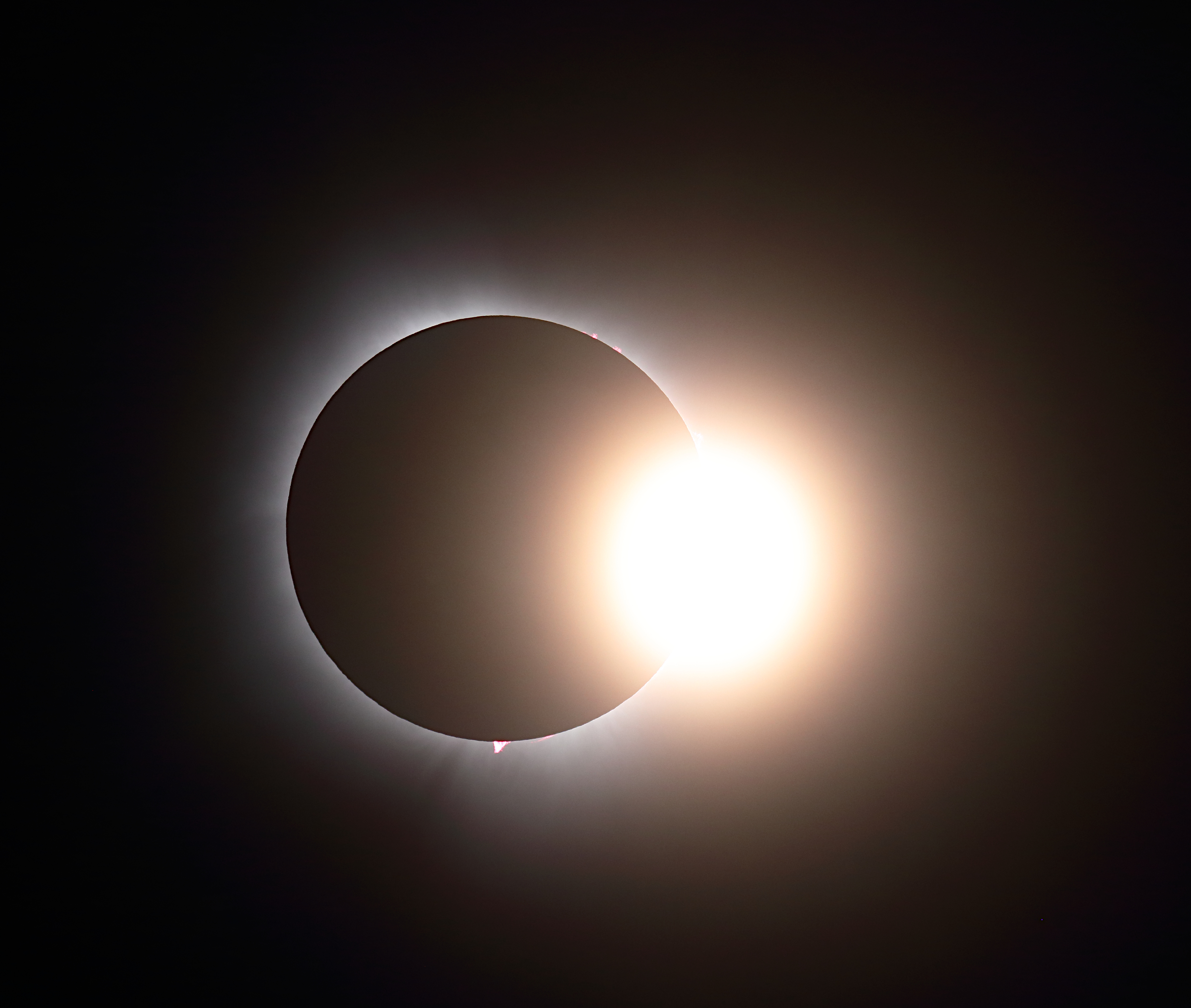
I had photographed partial eclipses in the past, so seeing the Moon creep in front of the sun was interesting but not spectacular. That all changed when the eclipse became total and I was able to remove the solar filter from the telescope and really appreciate the show.

Total Eclipse – 08 April 2024, Montreal, Canada – Benoit Guertin

The total eclipse was surreal and freaky, I now understood why many people chase the next eclipse. I may not have made it to my friend’s cottage in Sutton and experience this with a bunch of other people. Instead I was able to give 100% of my focus to my equipment to capture the beauty of a total eclipse.

If you have a fun and interesting story around your experience of the eclipse, please do comment below.
Forest Fires and a Red Moon

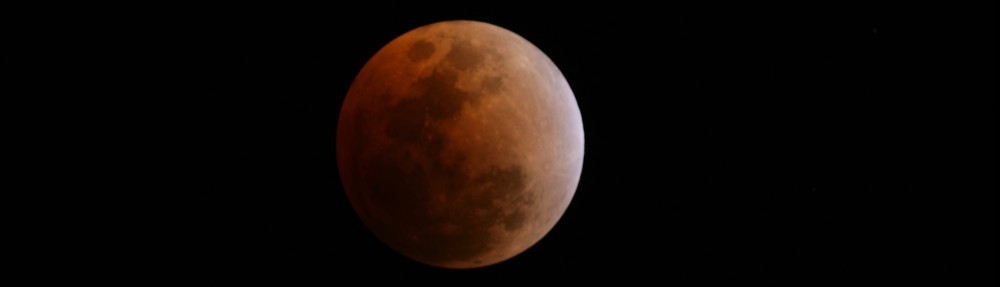
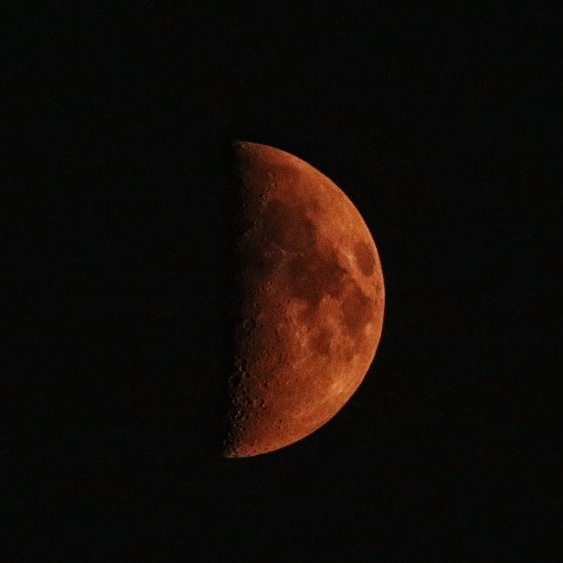
Most people are used to seeing or reading about a Blood Moon during a lunar eclipse. But other atmospheric conditions can cause the Moon to turn red, forest fire smoke being one of them. Due to large uncontrolled forest fires in Northern Quebec and dominant northwestern winds, vaste quantities of smoke made it’s way south to the Montreal area on June 25th creating this eerie blood red moon in the evening.

Red Crescent Moon due to forest fires on June 25, 2023

To comprehend why the moon turns red, we must first delve into the concept of atmospheric scattering. When sunlight reaches the Earth’s atmosphere, it interacts with particles and gases, scattering its various wavelengths. The shorter blue and green wavelengths disperse more easily, giving the sky its typical blue appearance during the day. On the other hand, the longer red wavelengths have a tendency to linger and scatter less, leading to a reddish hue during sunrise or sunset.

When forests experience wildfires or controlled burns, vast quantities of smoke are released into the atmosphere. This smoke consists of numerous particles, such as ash, soot, and other microscopic compounds. These particles can have a profound impact on the scattering of sunlight, resulting in unique atmospheric phenomena, including the red moon.

The particles present in forest smoke, especially those from larger fires, can scatter sunlight more effectively due to their small size and composition. When smoke particles disperse in the atmosphere, they cause the scattering of shorter wavelengths, such as blue and green, while allowing the longer red wavelengths to pass through with less interference. As a result, the moon, which reflects sunlight, takes on a reddish hue when viewed through the smoke-filled atmosphere.

This interplay between the scattered light and the moon’s reflection creates a visually stunning spectacle, where the moon seems to glow with an ethereal crimson radiance.

While the red moon phenomenon caused by forest smoke is undoubtedly mesmerizing, it serves as a stark reminder of the importance of forest conservation and proper fire management. Uncontrolled wildfires can have devastating consequences for ecosystems, wildlife, and humans. Through responsible land management practices, including controlled burns and fire prevention measures, the likelihood of large-scale forest fires can be minimized.

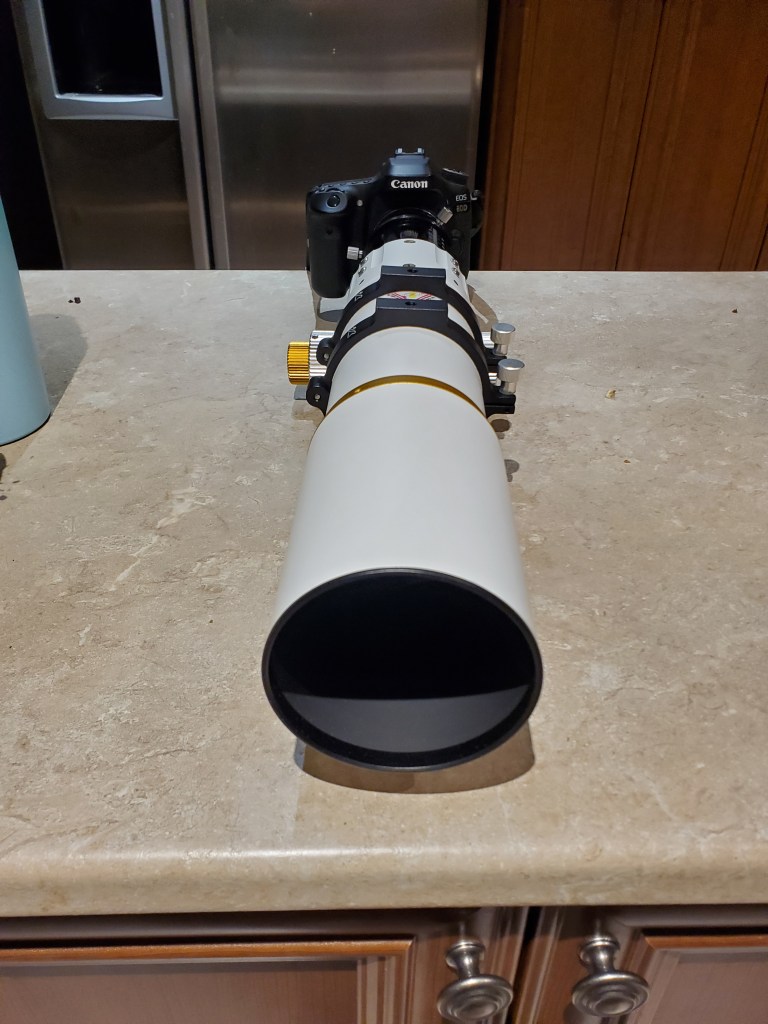
The above photo is a single shot, hand-held, taken with my William Optics Gran Turismo 71 f5.9 triplet with Canon80D. ISO6400 and 1/60s

Tutorial on Background Gradient Removal with GIMP

Video

Made a quick tutorial on how to remove background gradient with GIMP

You need the GIMP Astronomy Plugin

Photography – 2023 Venus and Pleiades Conjunction

I’m sharing with you a photo I took of the recent Venus and Pleiades conjunction. The closest approach was on April 10th, but I had to wait until the 12th for a clear sky. It was a pretty sight to see the bright planet and the star cluster so close together in the night sky. I used my Canon 80D and a telephoto lens to capture this image. Here are some tips on how I did it:

  • Because I was going to take a long exposure and wanted round starts I used my equatorial mount and installed the camera with a clear view of the western horizon.
  • I set the camera to manual mode, the aperture to f/4.5, the shutter speed to 5 seconds, and the ISO to 1600.
  • I zoomed in with 135mm of focal length for the desired framing and focused on the bright stars using live view. Initially selected a bright star, and then moving to more dim ones for final focus adjustments. I made sure that both Venus and the Pleiades were nicely in the frame.
  • To take a photo without camera shake I used the 10sec delay and then checked the histogram to verified that the result is not overexposed.
  • I then went into the interval setting of the camera to take multiple photos, around 70 in total.
  • I imported the photos into Deep Sky Stacker for the registration and stacking of the photos.
  • Then opened the resulting photo over to GIMP for final adjustments like white balance, levels, color saturation, background gradient removal and noise reduction.
  • I exported the final image as a JPEG. Here it is, click to open full image:
Venus and Pleiades Conjunction April 12, 2023

I was hoping to capture a hint of the nebulosity within the star cluster, but I guess 5 seconds exposures, even when integrated to 6 minutes is not enough to capture that fainter detail. It was around 8:00pm when I took the photos, the sky was not fully dark, making the use of exposure above 5 seconds too bright. However I did manage to capture the colors of the stars down to magnitude 9.

I hope you enjoyed this post and learned something new. If you have any questions or comments, feel free to leave them below. Thanks for reading!

Canon 80D
135mm F4.5 telephoto lens
Individual photos: 5 seconds at ISO 1600
6 minutes total integration time
Vixen GP Equatorial Mount (untracked)
Registration and stacking with DSS
GIMP for final adjustment

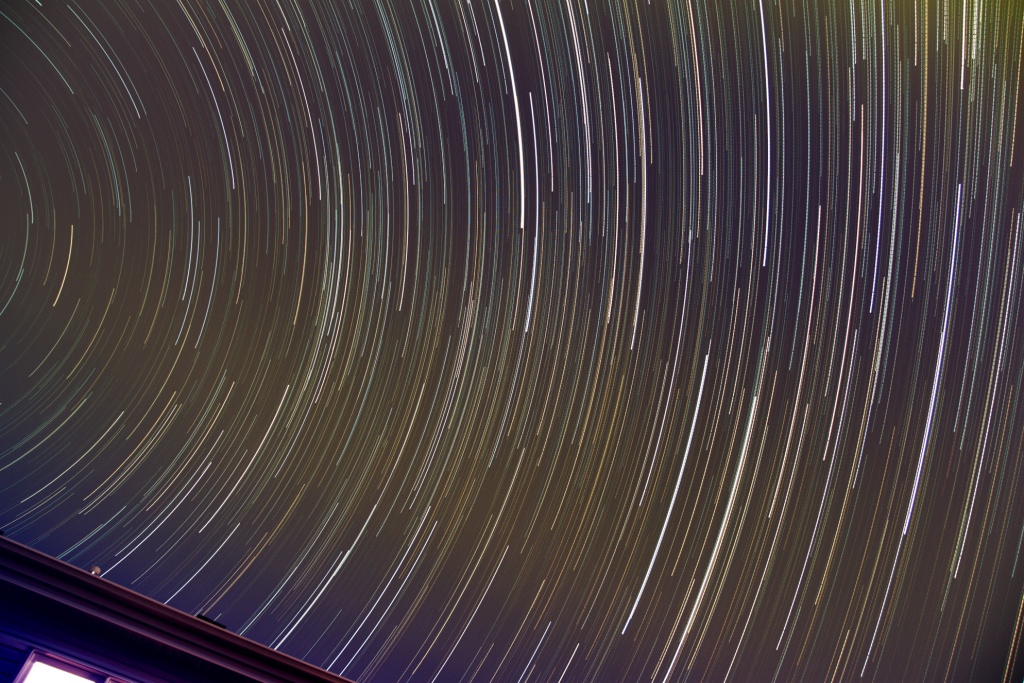
Star Trails – Quick and Easy

Creating night-time images with star trails is the easiest and should be your first project when getting into astro photography.

Back in the day of film, you had to stomp down the diaphragm and use a shutter actuator to take one VERY long exposure. And if something happened during that long exposure (bird, plane, clouds, etc…) your photo was ruined. With digital, you can instead take LOTS of short exposures and digitally stitch them together, leaving out the ones that got ruined.

Setup your camera to take a series of short exposure photos, 10 seconds is good. For some tips on how to setup your camera, head over to my Astrophotography Cookbook page.

If you are starting out, or want to simply do this quickly, skip taking Bias, Dark and Flat photos. These are used to improve the final image processing and make more sense when you wish to do some deep sky stacking.

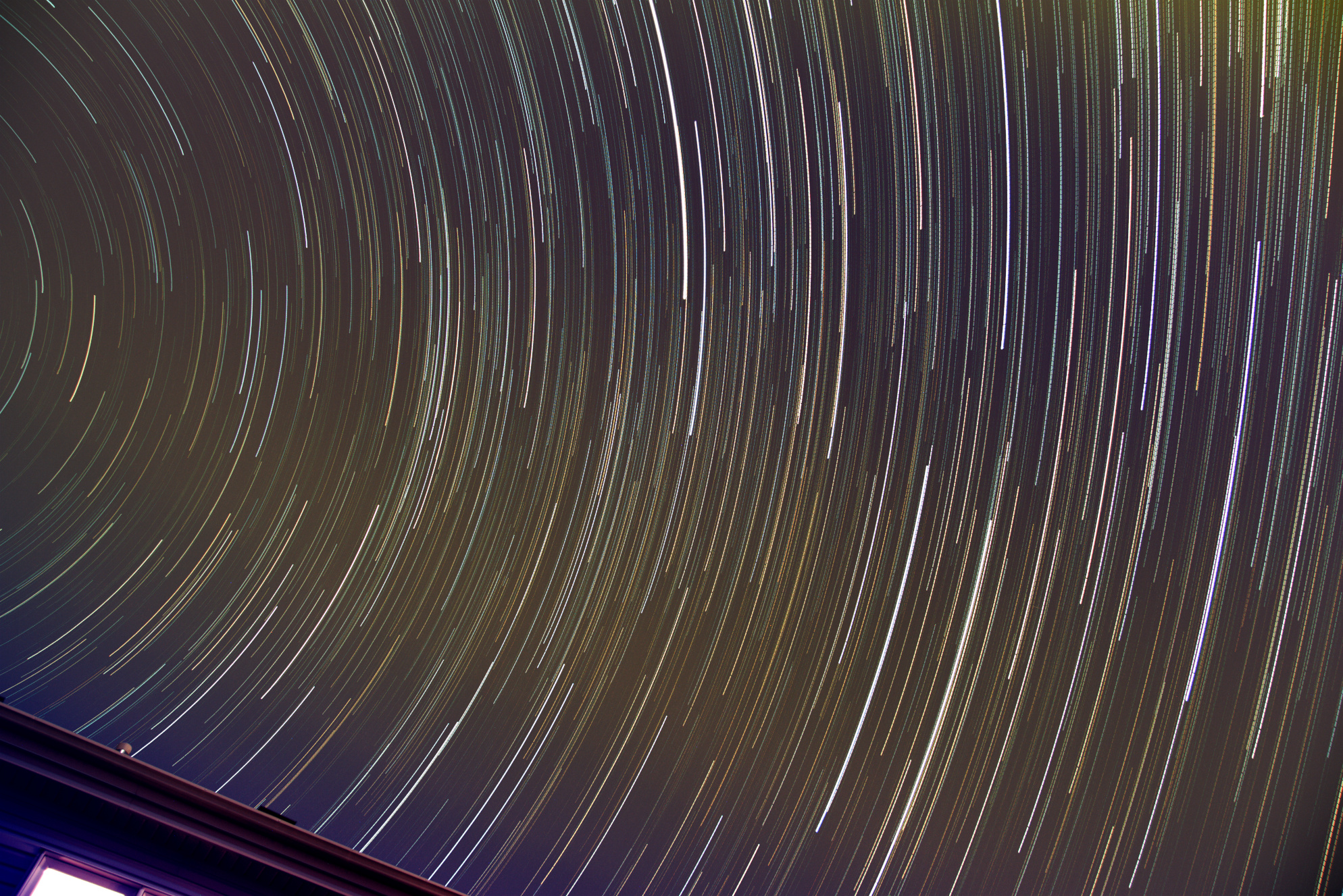
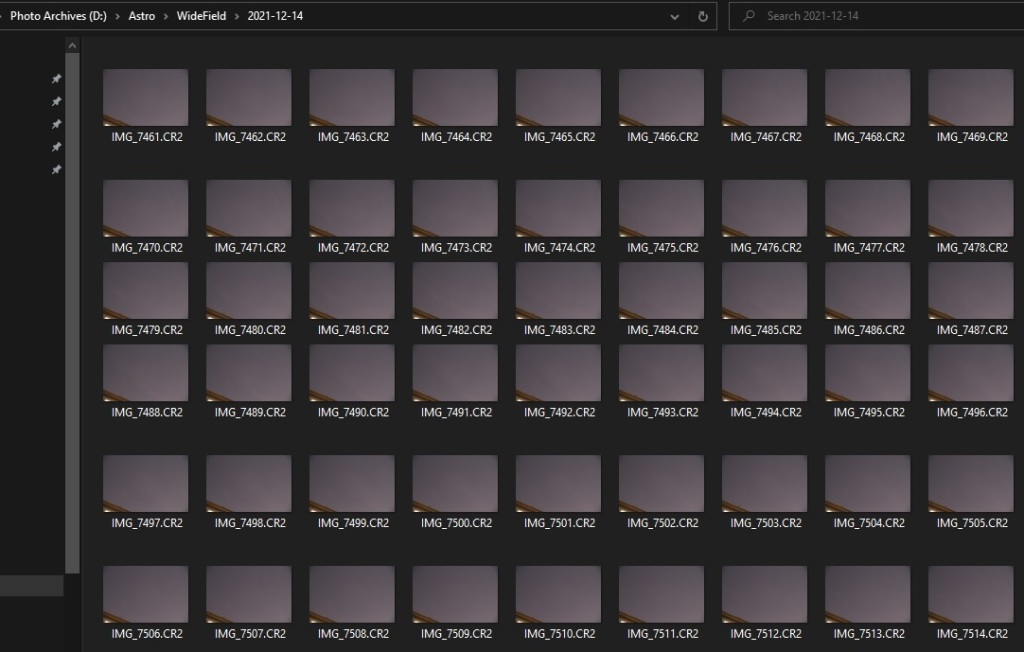
For this exercise I configured the intervalometer of the camera to take 10 second exposures with a 1 second pause between (i.e. the shutter is pressed every 11 seconds and each click is a 10 second exposure). I left the camera operating for a little more than one hour, with the result over 400 photos captured.

It’s important to review all the photos and note down the ones to exclude from the final image, things like camera movement because you knocked the tripod, a plane, clouds, etc. It’s possible that from the 438 photos taken, only the range 5 to 352 will be good to build the star trail image as clouds decided to roll into view on the 353rd photo.

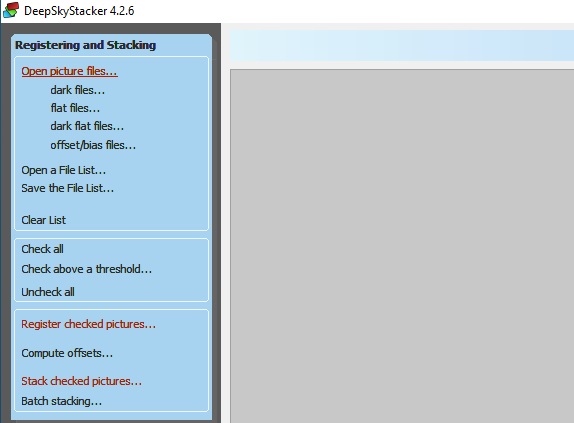
The next step is to import the photos into Deep Sky Stacker. This is done by using the Open picture files… command. As I mentioned earlier, the dark, flat and bias can be skipped, these are not required. But if you have them, they will improve the quality of the final image. Don’t forget to select Check all before moving to the next step, and to uncheck any photos you want to exclude if you did a bulk import.

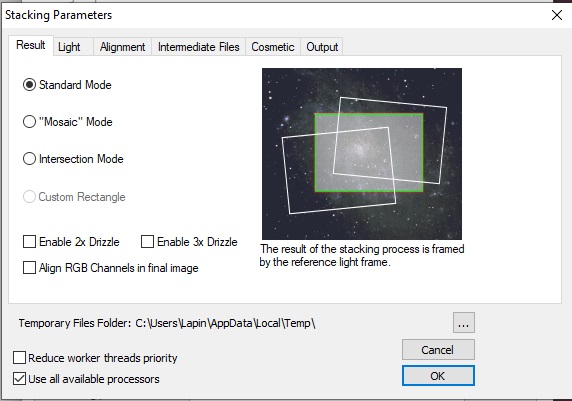
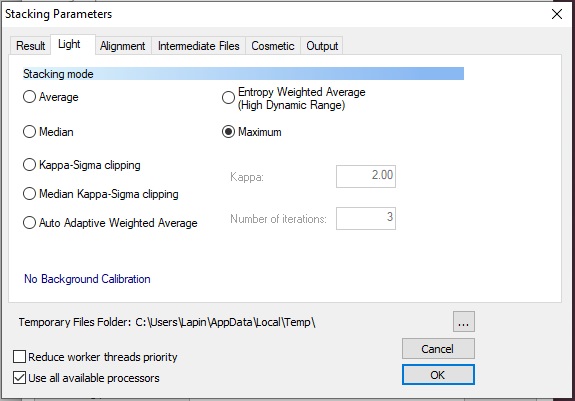
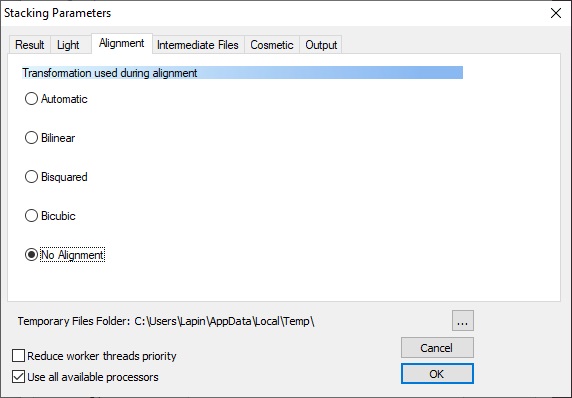
Once the photos are selected, go straight to Stack checked pictures… In the window that pops-up, hit the Stacking parameters… button and select the following:

  • Result – Standard Mode
  • Light – Maximum
  • Alignment – No Alignment

The remaining tabs can remain with the default setting. Hit OK and the program will now start processing all the photos. Note that DSS will still register each image even if you selected No Alignment. If you know how to prevent this waste of time, please tell me in the comment below.

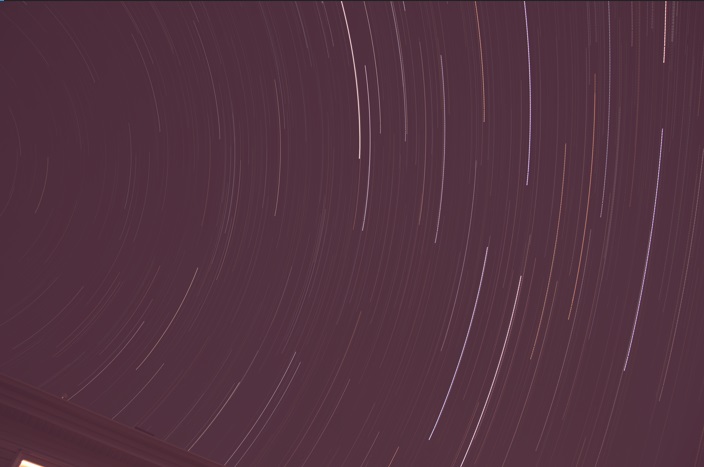
The end result is something like the image below. Base on your the quality of your sky, the camera setting, color balance, etc… various level of work will be required to make it look nice, but you now have something to import into your photo editor and correct all that.

In my Post-processing section of the Astrophotography Cookbook, I provide some tips on how to correct for things like sky gradient.

Clear dark skies!

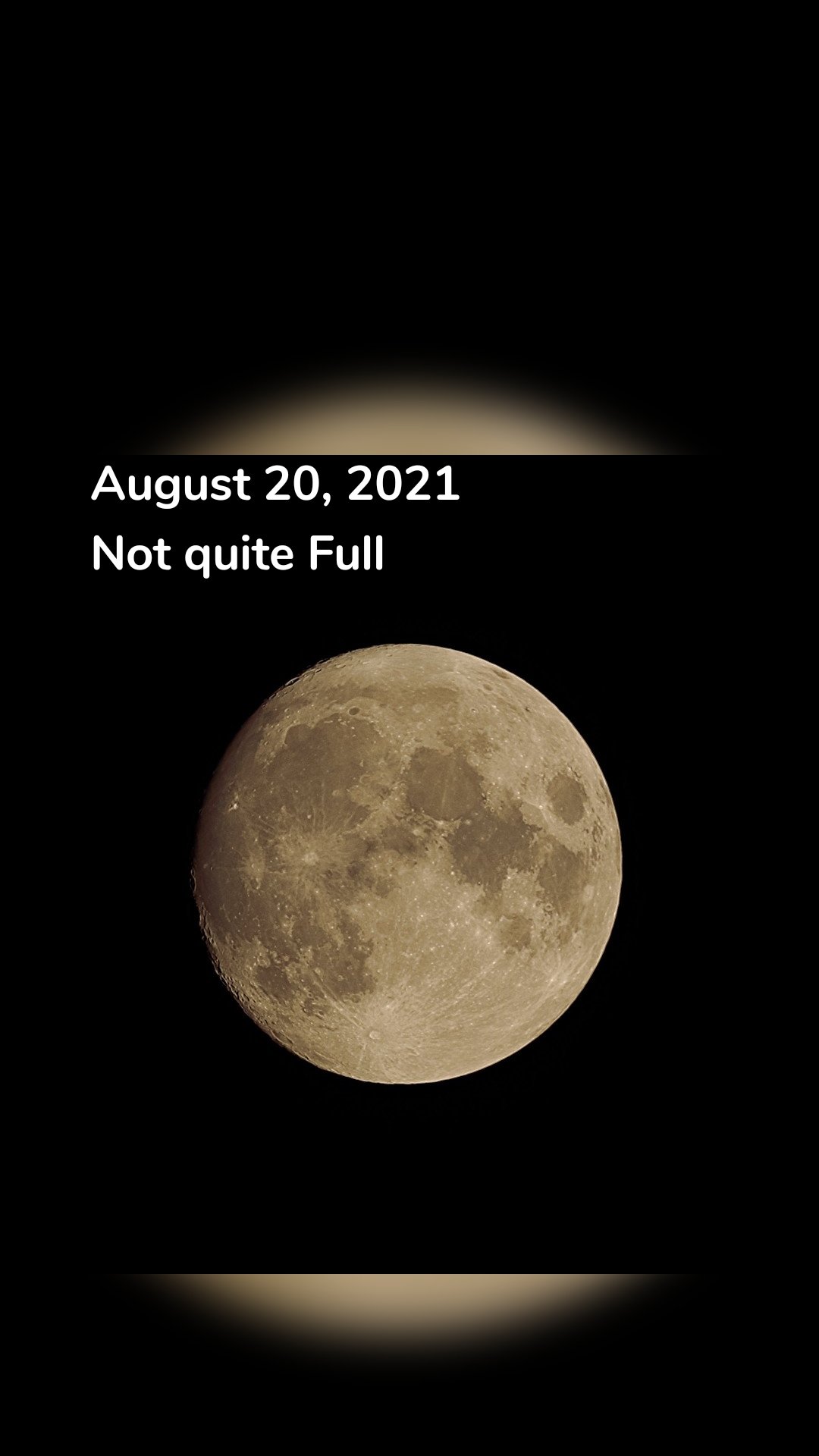
August 20, 2021 Not Quite Full

August 20, 2021
Not quite Full

Signal and Noise

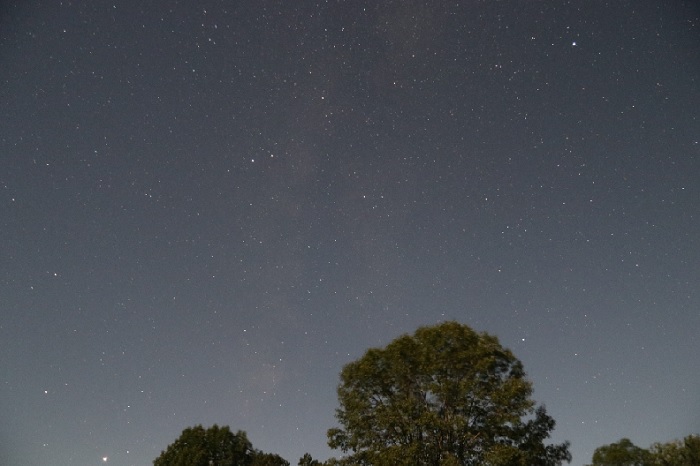
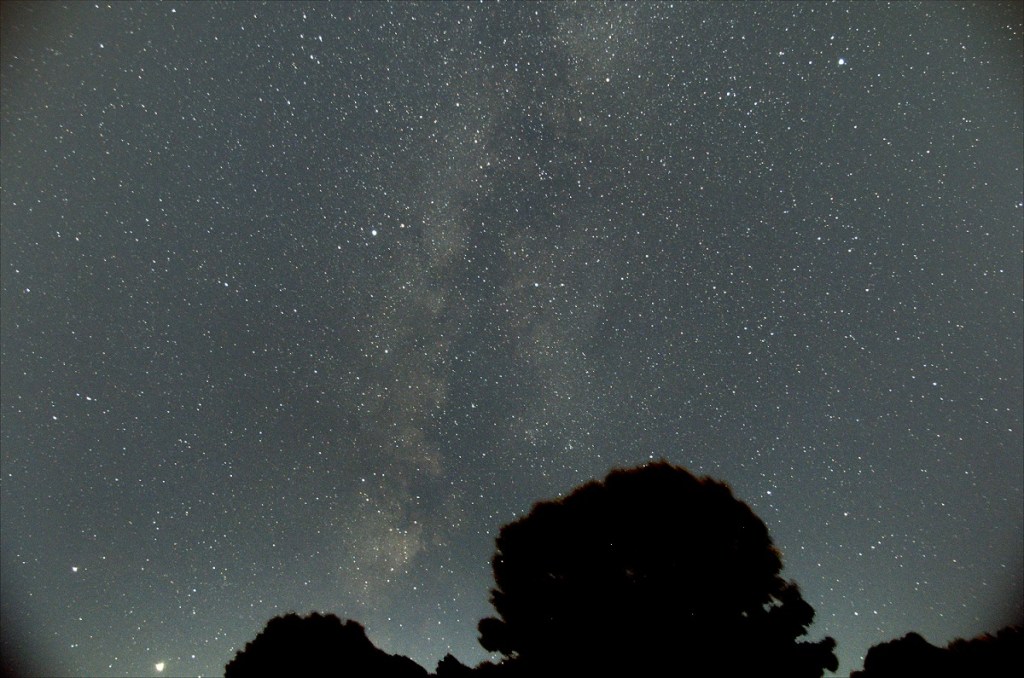
What makes it possible to be able to generate a photo of the Milkyway from what appears to be just a faint trace in the original shot?

The final image (left) and a single frame as obtained from the camera (right)

It all comes down to the signal vs noise. Whenever we record something, sound, motion, photons, etc… there is always the information you WANT to record (the signal) and various sources of noise.

Noise can have many sources:

  • background noise (light polution, a bright moon, sky glow, etc…)
  • electronic noise (sensor readout, amp glow, hot pixels)
  • sampling noise (quantization, randomized errors)

This noise can be random or steady/periodic in nature. A steady or periodic noise is easy to filter out as it can be identified and isolated because it will be the same in all the photos. However a random noise is more difficult to eliminate due to the random nature. This is where he signal to noise ratio becomes important.

In astrophotography we take not only the photos of the sky, but also bias, darks and flat frames: this is to isolate the various sources of noise. A bias shot is a short exposure to capture the electronic read-out noise of the sensor and electronics. The darks is a long exposure at the same setting as the astronomy photo to capture noise that appears during long exposures due to the sensor characteristics such as hot pixels and amplifier glow. Cooling the sensor is one way to reduce this noise, but that is not always possible. Finally the flat photo is taken to identify the optical noise caused by the characteristics of the lens or mirror as well as any dust that happens to be in the way.

But what can be done about random noise? That is where increasing the number of samples has a large impact. For a random noise, increasing the number of sample points improves the signal to noise ratio by the square root of the number of samples. Hence averaging 4 images will be 2 times improvement than a single photo. Going to 9 will be 3 times better. Etc…

You might be thinking: “Yeah but you are averaging, so the signal is still the same strength.” That is correct, however because my signal to noise ratio is improved I can be much more aggressive on how the image is processed. I can boost the levels that much more before the noise becomes a distraction.

But can’t I just simply duplicate my image and add them together? No that won’t work because we want the noise to be random, and if you duplicate your image, the noise is identical in both.

So even if you are limited to just taking 30-second, even 5-second shots of the night sky and can barely make out what you want to photogram, don’t despair, just take LOTS of them and you’ll be surprised what can come out of your photos.

Milkyway from a stacking of 8 x 20 second photos.

Removing Sky Gradient in Astrophoto

The simplest form of astrophotography is nothing more than a camera on a tripod shooting long exposures. However by the time you get around to stacking and stretching the levels of your photos to accentuate various elements, such as the Milky Way, the sky gradient will become more apparent. That gradient can come from city lights, the Moon up above and the thicker atmosphere causing light to disperse at low angles to horizon. Normally the wider the field of view, the greater the gradient.

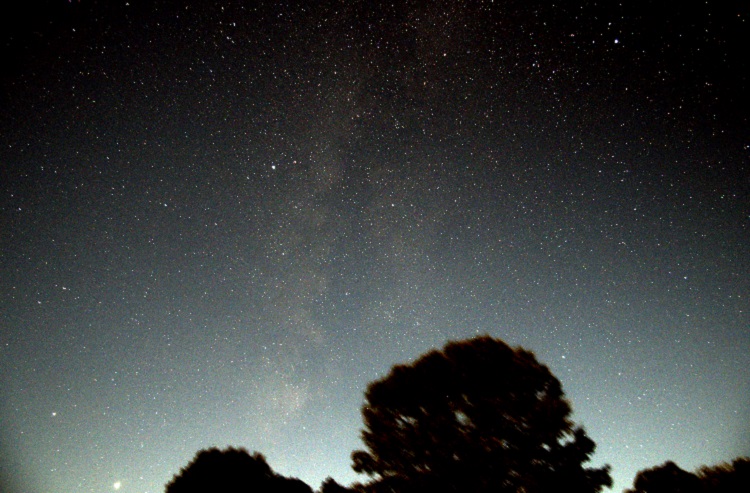
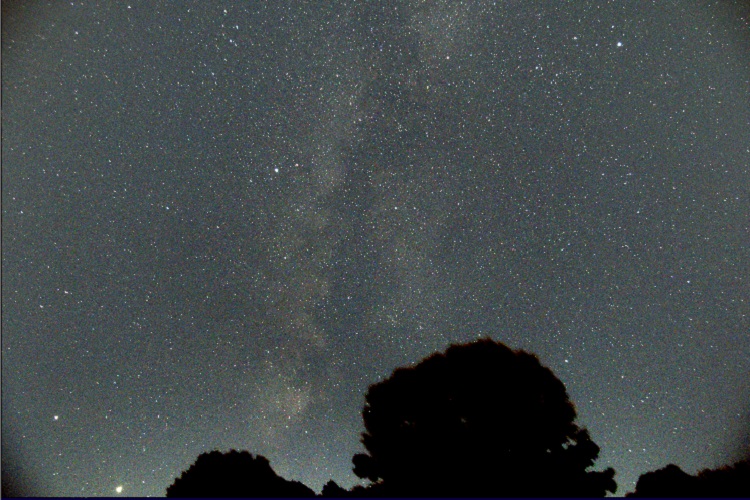
Below is a RAW 20-second exposure of the Milky Way near the horizon taken with a Canon 80D equipped with a 17mm F4.0 lens. The background has a slight gradient; brighter at the bottom. No all that bad.

But once you stack multiple exposures and stretch the levels to get the Milky Way to pop out, the gradient only gets worse.

There are various astrophoto software that can remove the sky gradient. The one that I’m familiar with and have been using is IRIS. I know the software is old, but it does a great job. So after I’ve completed my registration and stacking of images with DeepSkyStacker (see my Astrophotography in the City article), the next step is to open the resulting image with IRIS.

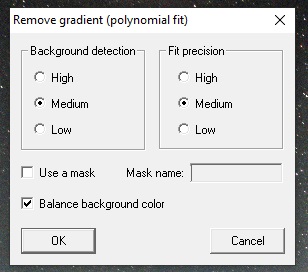
Once the stacked image is loaded in IRIS, head over to the Processing menu and select Remove gradient (polynomial fit) … Actually to get the best results you need to have the background and color corrected as well as trimming the edge of your photo. Got that covered here.

The following menu will appear.

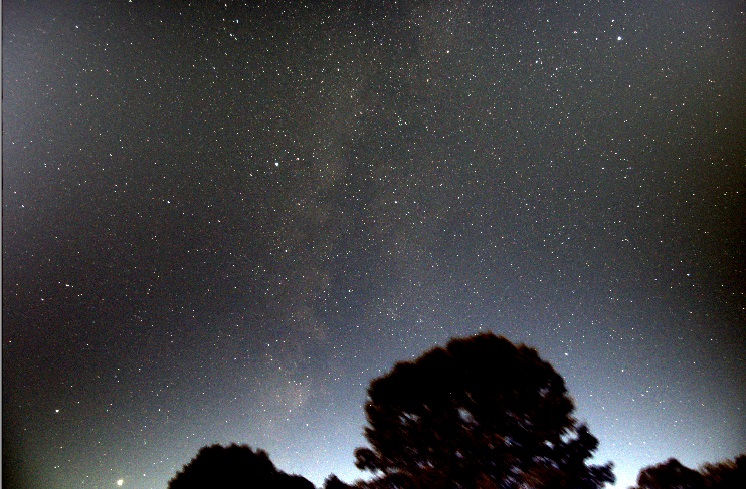
Normally the default settings (as above) will work well. But this image has some foreground content (trees) and that will cause the result to look a little odd. The algorithm is designed to avoid sampling stars, but not so good when there is foreground content like the trees at the bottom of the image.

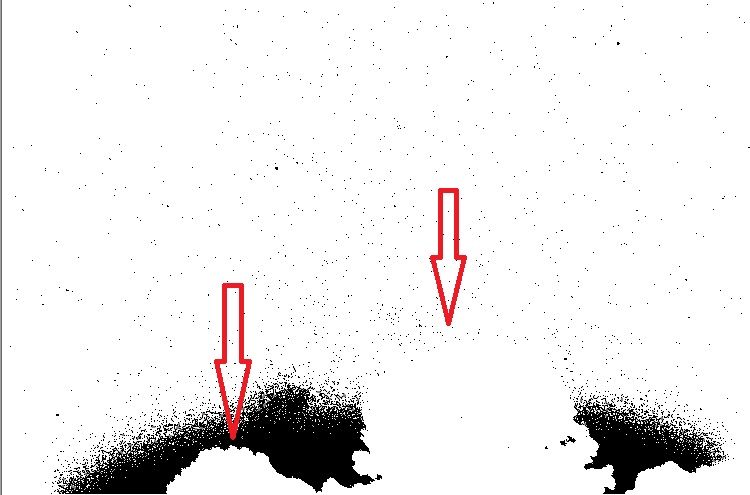
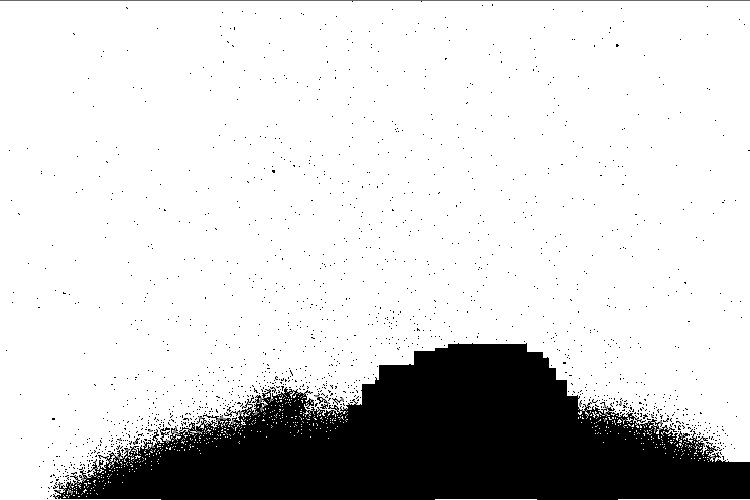
To correct this you must use the gradient removal function with a mask. The quickest way to create a mask is using the bin_down <value> command. This will change to white all pixels with intensities below <value>, and make black all pixels above it. Areas in black will not be used for sampling, while those in the white areas will. A little trial-and-error is sometimes necessary to select the right value.

In this case, even with the right bin_down value, the trees that I want to mask are not black, hence I will use the fill2 0 command to create black boxes and roughly block out the trees.

Below is the result after using multiple fill rectangles to mask the trees. This does not need to be precise as the mask is simply used to exclude areas from sampling. It is not like a photo-editing mask.

The resulting mask is saved (I called it mask), and I load back the original image, this time using the gradient removal with the mask option selected.

The program generates a synthetic background sky gradient, based on thousands of sample points and an order 3 polynomial. The image below lets you see the synthetic sky gradient the algorithm generated. This is what will be subtracted from the image.

Image and the synthetic sky gradient that will be subtracted

The final image below is much better and more uniform. There are no strange dark and bright zones like the attempt without the mask.

If we compare the original raw images with the new stacked, stretched and sky gradient removed photo the results are pretty impressive.

Field of View Between Two Telescopes

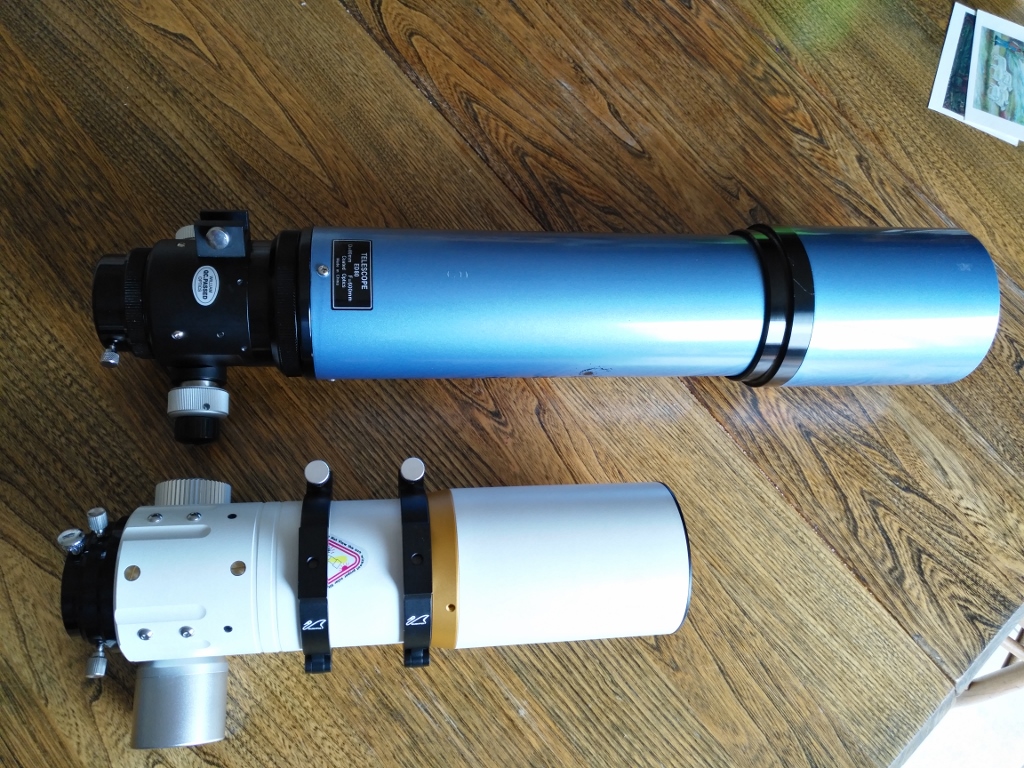
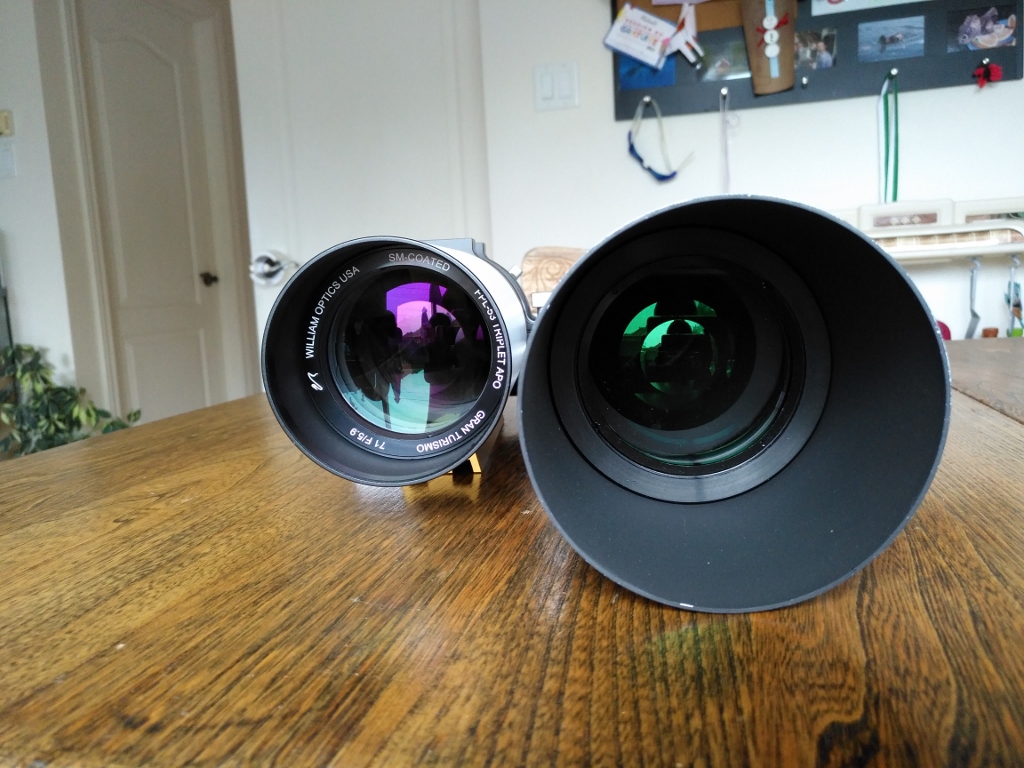
I have two telescopes, a Skywatcher 80ED (identical to the Orion 80ED – 600mm focal length at F7.5) and a Williams Optics Gran Turismo 71 APO with 420mm focal length at F5.9. Just looking at the numbers it’s easy to see that the GT71 is a smaller and faster telescope, and because of the shorter focal length it should have a larger field of view.

Comparing size with Skywatcher 80ED

Comparing size with Skywatcher 80ED

Now I’ve photographed the same part of the sky with both telescopes, and can now overlap the images to see exactly what is the difference between the field of view between these two telescopes.

First I need to say that that GT71 NEEDS a field flattener when imaging with DSLR. The distortions off-center are terrible.  Don’t get me wrong, as a three objective lens telescope (including 1 fluorite for color correction), it has provided me with the best lunar photos, however it has issues when using the large DSLR sensor. The SW80ED provides a much flatter field of view for photography out of the box.

The flattener for GT71 is in the plans…

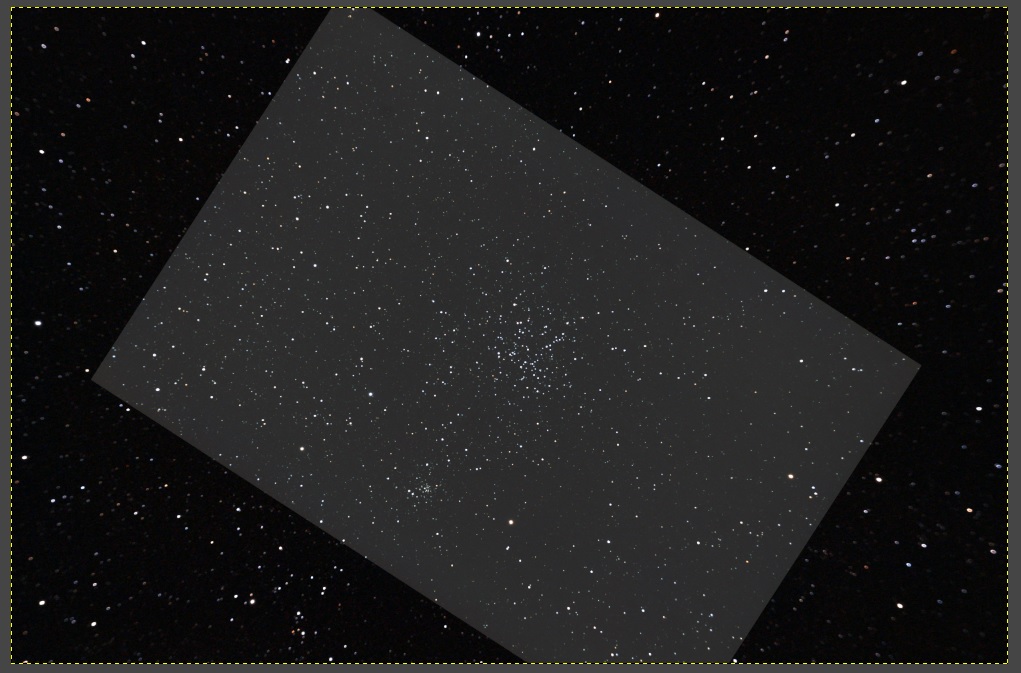
So how does both telescope compare?  Below is a photo of open star cluster Messier 38 taken with my GT71 and I’ve overlapped as a brighter box an image taken with the SW80. For those wondering, I used IRIS to register and align both photos using the coregister command.

Messier 38 - Field of view with William Option GT71 and Skywatcher 80ED (brighter box)

Messier 38 – Field of view with William Option GT71 and Skywatcher 80ED (brighter box)

Both telescopes deliver just about the same field of view with the GT71 providing 1 degree more of horizontal field. But the difference is much less on the vertical.

What did surprise me is how much light the GT71 gathers. Inspecting the photos showed me that even with the smaller setup, the GT71 has great light gathering capabilities.  I got down into magnitude 12 with only 15 seconds of exposure, which is nearly similar to the SW80ED at 30 seconds.

WO GT71 vs SW80ED Optics

WO GT71 vs SW80ED Optics

In conclusion I would say the GT71 has good photographic potential, but requires a field flattener if it will be used with DSLR.  Stay tuned…

Wide Angle Photography – Perseus

Image

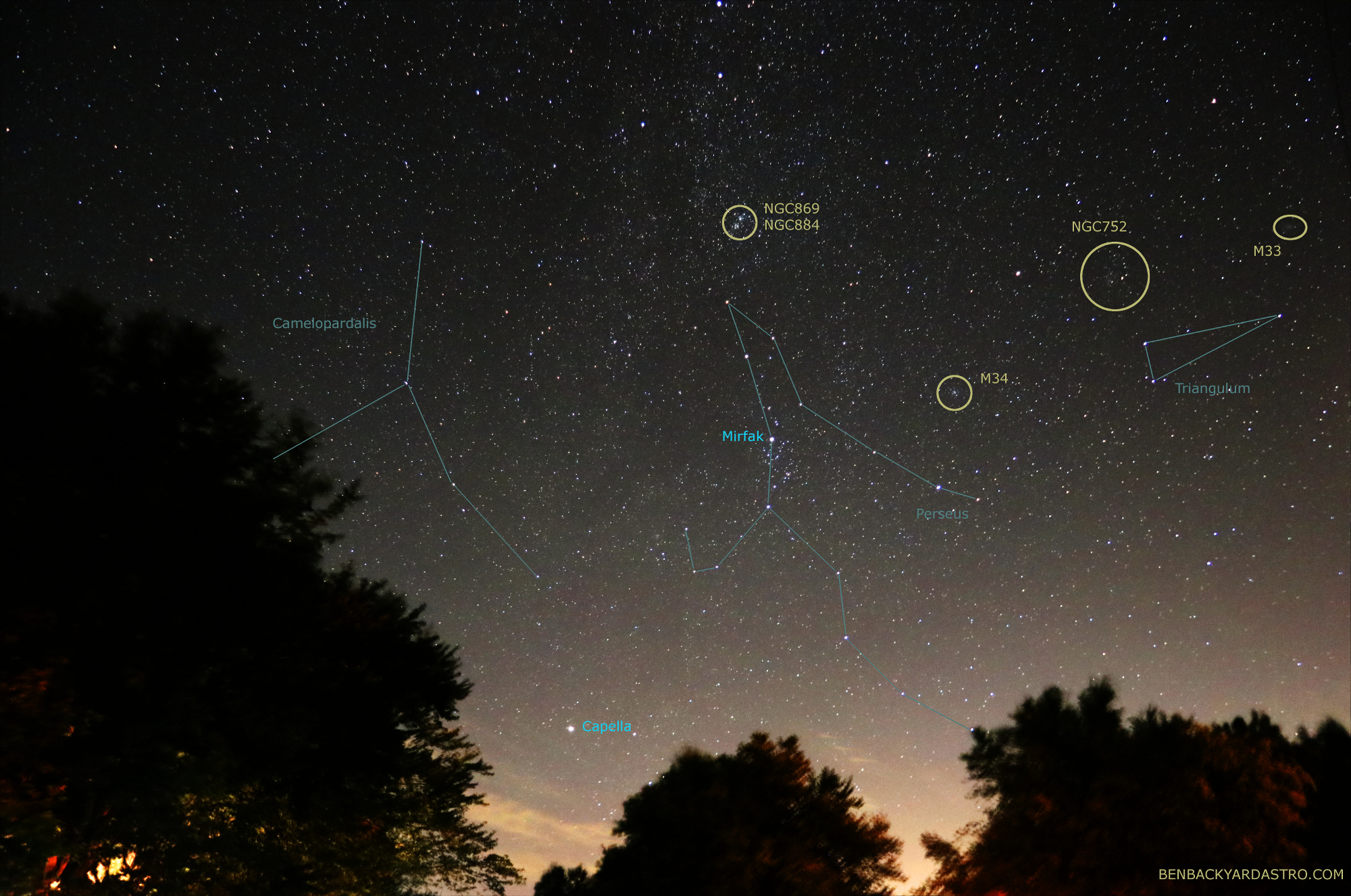
Shooting wide angle long exposures of the sky is always fun, because you never quite know what you will get. On an August night I decided to take a few 20 seconds exposures of the constellation Perseus hoping to catch a few open clusters.  However got surprised by the faint glow of Messier 33 (Triangulum Galaxy) in the photos. This is the furthest object that can be observed to the naked eye, located 2.7 million light years away, and part of the Local Group which includes Andromeda and our Milky Way.

Constellations Perseus and Triangulum (Benoit Guertin)

Constellations Perseus and Triangulum (Benoit Guertin) – CLICK FOR FULL SCREEN

4 x 20 seconds
ISO 6400
17mm F4.0
Canon 80D
August 30, 2019