Photos from the 2024 Great Solar Eclipse

This was my first time experiencing a total eclipse, and it did not disappoint! But the day did not go as planned.

April 8, 2024 total solar eclipse
Montreal, Canada
Benoit Guertin

A friend amateur astronomer invited me to his cottage in Sutton, Quebec, to be able to view the eclipse in a location that was ideal, located just a few kilometers from the center of the path of totality. At that spot, the eclipse would last nearly 3 minutes and 30 seconds. The forecast was for perfect blue skies, in fact eastern Quebec appeared to be the best spot in all of North America to watch the eclipse without cloud cover.

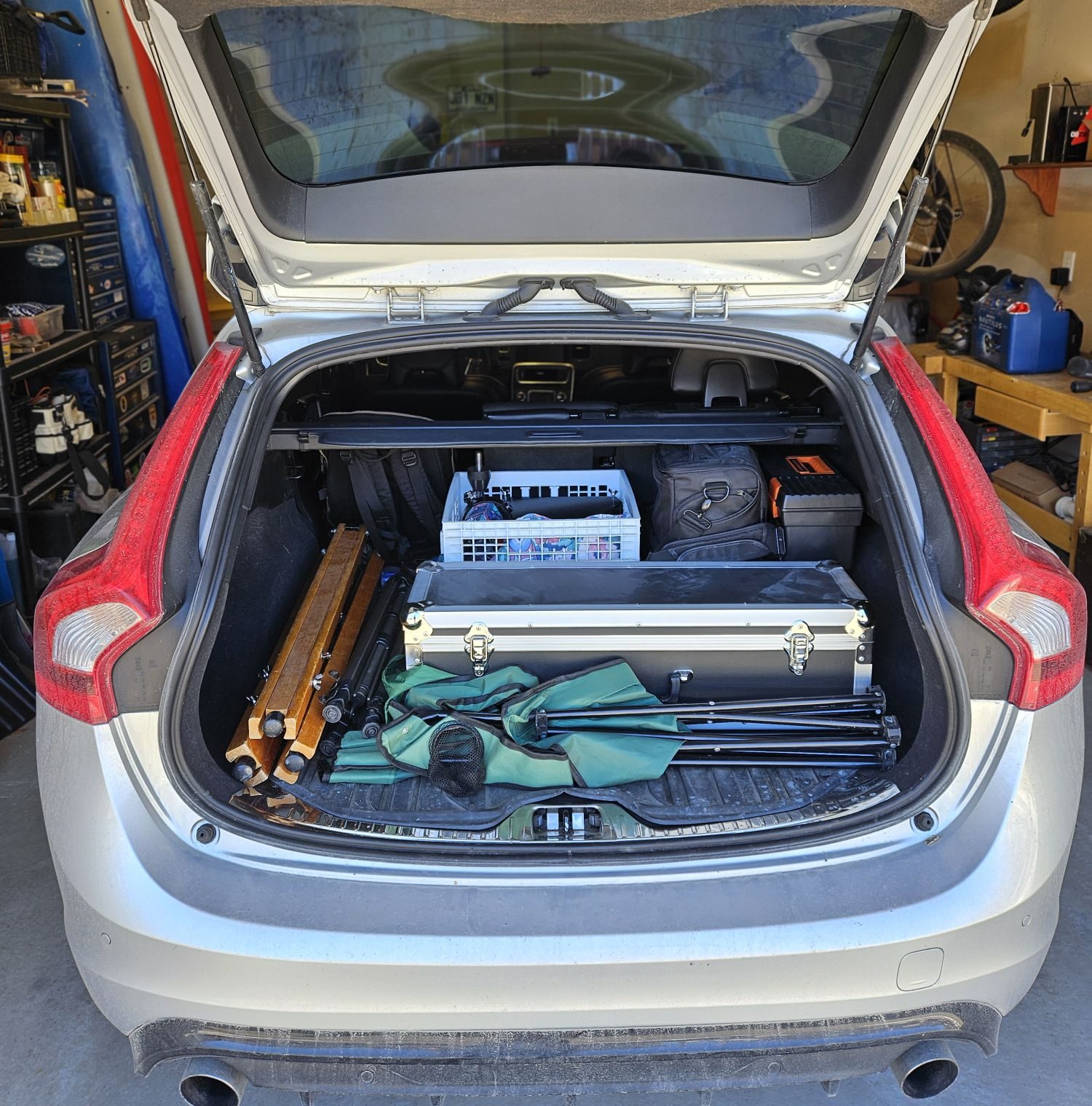
That morning I planned my trip, packed up the car with my telescope, camera, laptop table, chair, and was looking forward to the day. According to Google Maps, I would get to Sutton with 1hr to spare, enough time to setup the equipment.
However once on the road the traffic situation changed rapidly as thousands of people were heading out to the eastern townships searching the ideal place to view the eclipse. Montreal being an island, the crossing points are limited and this resulted in terrible gridlock traffic as everyone appeared to hit the road at the same time. Two hours later, when I should have been approaching Sutton, I was still on the island of Montreal trying to make it across a bridge.
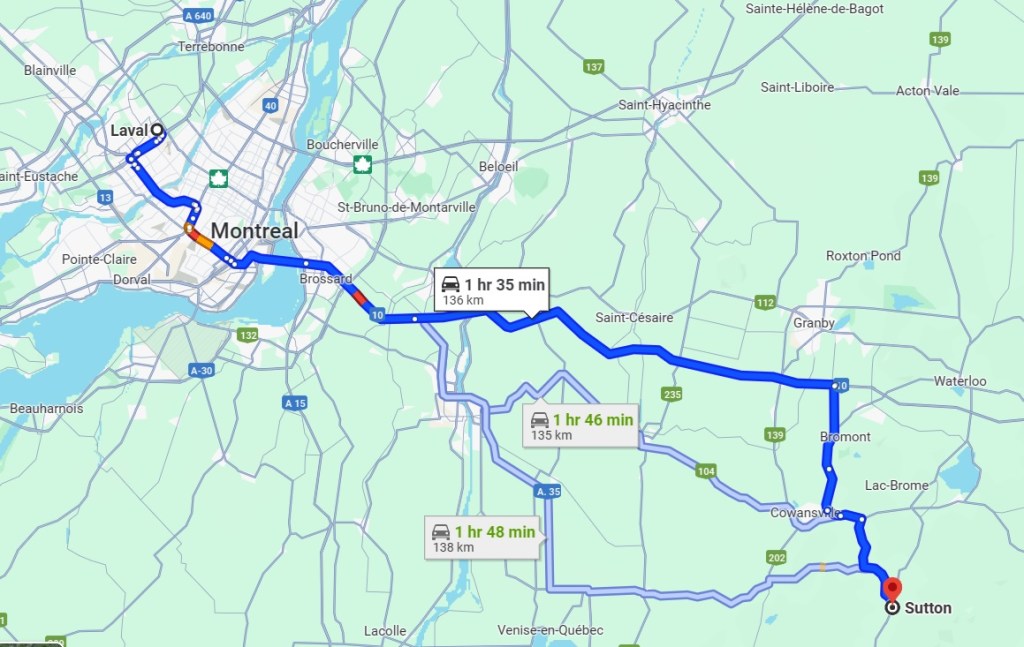
There I was sitting in a traffic jam, Google Maps kept increasing the ETA as I was barely moving a car length per minute and I was loosing all my equipment setup time. On top of that, I was starting to wonder if I even had enough gas in the car to make it. Creeping along in stop-n-go traffic was killing the fuel economy. I was starting to wonder if I should think of a plan B.

With a lot of patience I reached Brossard on the south short and was now on highway 10 to the eastern townships, free from the city of Montreal. But the highway was behaving closer to a shopping center parking lot on December 23rd. The worse scenario was starting to materialize: stuck on a highway with my telescope and gear in the trunk and no place to setup. Would the shoulder of a highway be my destination?

I was now next to an offramp and the next exit was over 10 kilometers away, likely a 1 hour ordeal. I decided to get off the highway, abandon the Sutton destination and go for plan B: find a suitable spot to setup. The eclipse would begin in 1 hour, I needed to find a spot quickly.

That arrived moments later as I spotted from the highway a commercial zone with a vacant lot away from buildings. It would have to do, my nerves were about to fray. There was amble space to safely setup my gear with no disruptions and more importantly, time to do so before the eclipse would start.

I’m sure there were people driving by wondering what I doing there, but it didn’t matter as I was ready to observe and photograph the eclipse. Two visible sun spots on the sun were much welcomed focusing aids. But not being correctly polar aligned meant the sun would drift away every 5-10 minutes. Nothing would be perfect in these circumstances and that was OK.

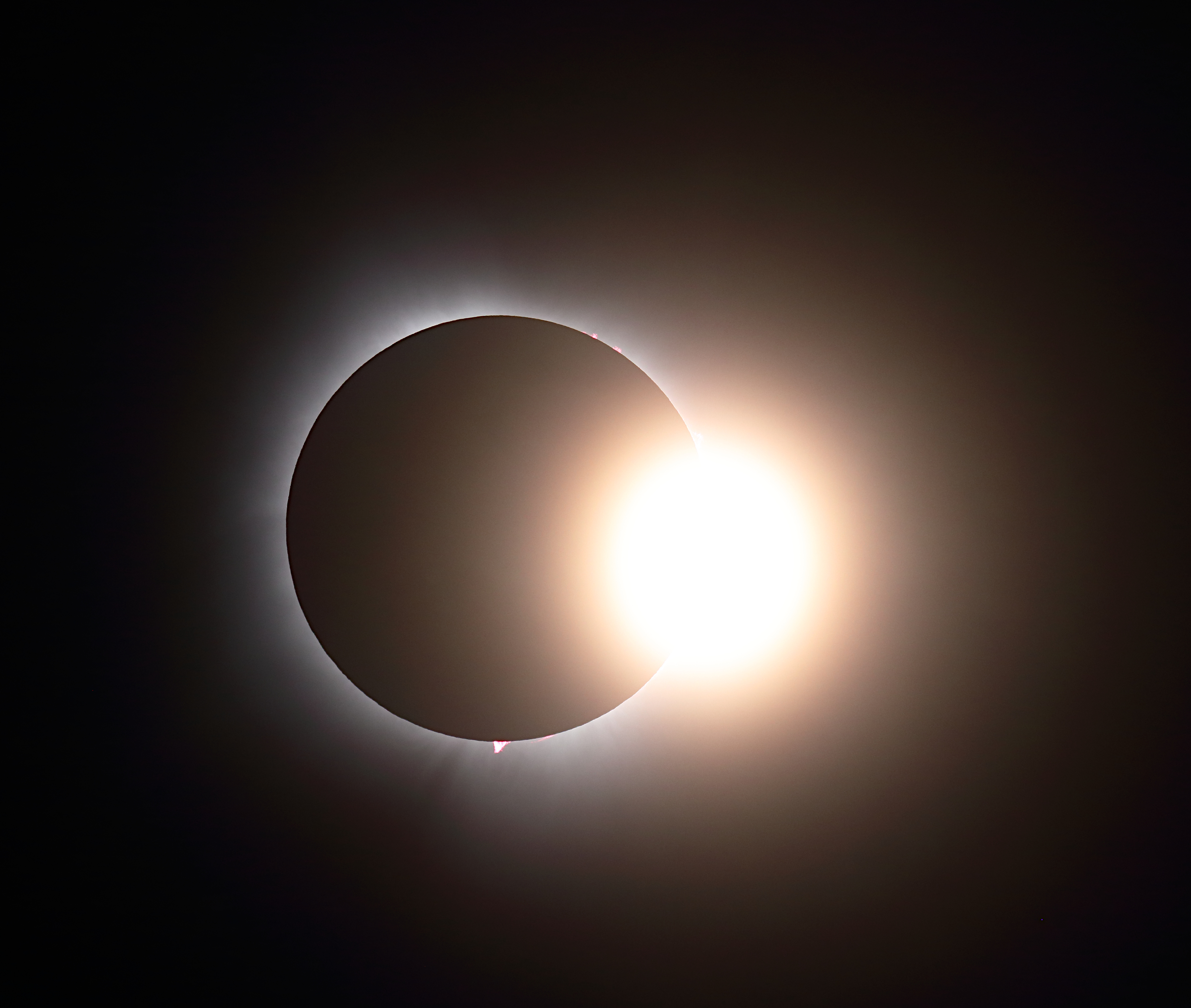
I had photographed partial eclipses in the past, so seeing the Moon creep in front of the sun was interesting but not spectacular. That all changed when the eclipse became total and I was able to remove the solar filter from the telescope and really appreciate the show.

Total Eclipse – 08 April 2024, Montreal, Canada – Benoit Guertin

The total eclipse was surreal and freaky, I now understood why many people chase the next eclipse. I may not have made it to my friend’s cottage in Sutton and experience this with a bunch of other people. Instead I was able to give 100% of my focus to my equipment to capture the beauty of a total eclipse.

If you have a fun and interesting story around your experience of the eclipse, please do comment below.
Mineral Moon

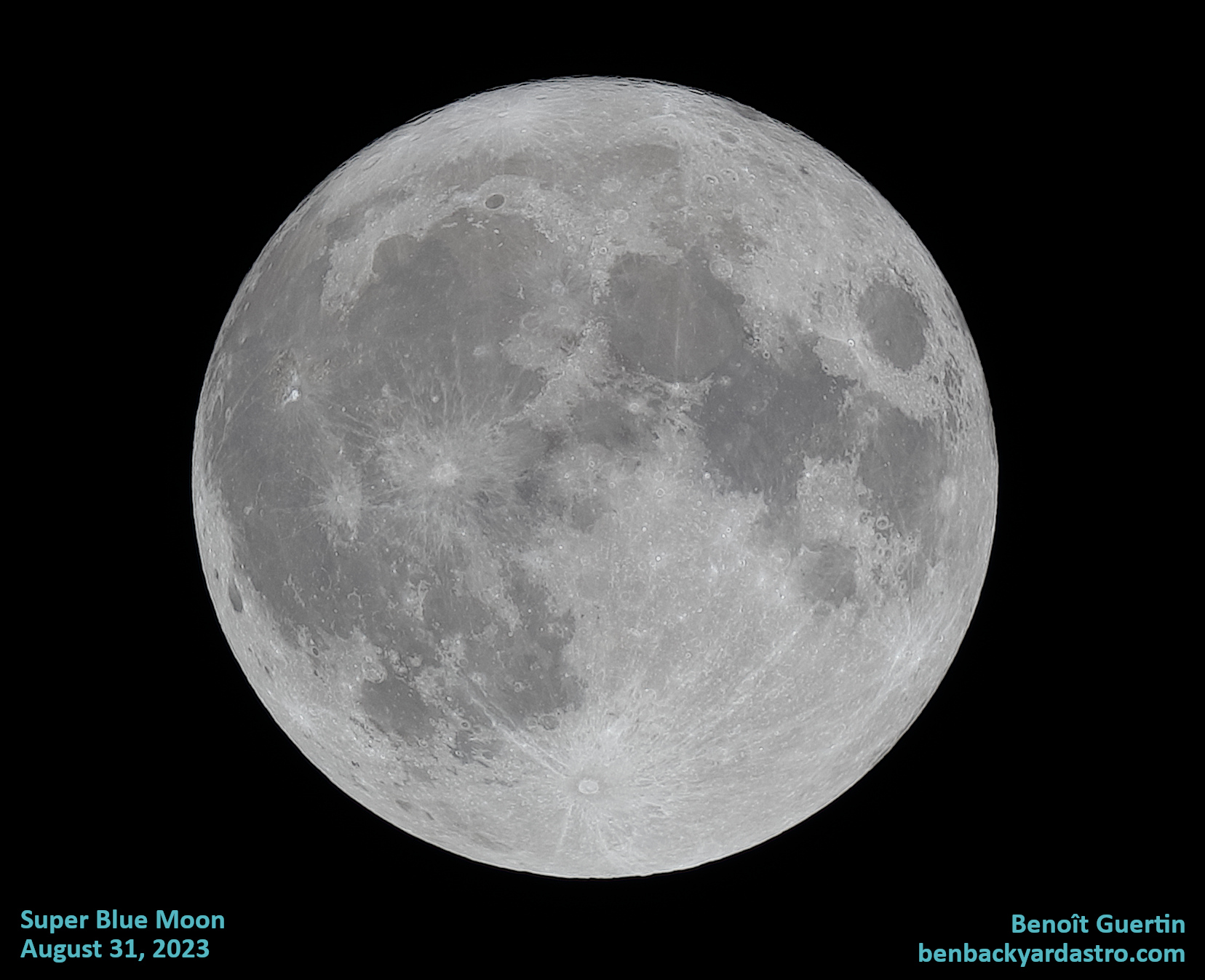
Back in 2017 I color enhanced one of my photos of the moon to see if I could pick up the subtle hues due to the different minerals as I had seen some posts in forums. I decided to redo this experiment, but this time with a photo of the Super Blue Moon from August last year. I figured starting off with a brighter and sharper photo will yield better results.

Super Blue Moon - 31 August 2023
Benoit Guertin

Using a photo editor I duplicated the layer and boosted the color saturation. Then I blended both layers together to get a nice result. The reason why I don’t simply boost the saturation in the original image is that doing so also increases the “noise” in the image. Keeping a grayscale and a color layer separate preserves the details while enhancing colors.

Mineral Moon
August 31, 2023 - Benoit Guertin

The result is often referred to as the Mineral Moon because the difference in orange and blue hues are due to the different concentration of minerals in the regolith. Blueish areas are high in titanium, possibly as high as 10%, compared to on Earth where titanium is approximately 1% of the soil content. The orange, brown areas have higher iron content.

The newer and brighter impact craters are even more contrasting over the dark areas formed by old lava flow during the early formation of the Moon.

Who knew that with nothing more than a DSLR and small telescope from a backyard you can map the geology, age and minerals on the Moon. If you have a good photo of the Moon on your computer, give it a try!

Sun and Sunspot 3536

We’re heading into the peak of Solar Cycle 25, which should happen sometime in 2025, and active solar region 3536 produced on December 31st, the most powerful recorded solar blast since 2017, measured at X5. Don’t let the size of the sunspot fool you, it has been crackling with multiple C class flares since it appeared on the limb of the Sun. Flares are classified in increasing strength as A, B, C, M or X according to their X-ray emissions. X-class flares can cause disruptions in communication and GPS guidance here on Earth.

The Sun on January 4, 2024

The above photo was taken with my Skywatcher 80ED apochromatic doublet telescope paired with a Canon 80D DSLR. Four different active solar regions are identified on the photo.

So far none of the ejecta from active region 3536 have struck Earth, but as this active region is still showing beta-gamma magnetic configuration there’s still a high chance of more flares.

October 14, 2023 Partial Solar Eclipse

Taking photos of a partial solar eclipse wasn’t high on my TO DO list on this past Saturday. Experiencing a solar eclipse is about location, and my city (Montreal) was not in the best path of the Moon’s shadow that day. At the maximum eclipse, the sun would be at best 17% covered from my viewing location. People in the south-west of the United States were the lucky ones to see the show.

As you may know, a partial solar eclipse happens when the moon covers only a part of the sun, creating a crescent-shaped sun. It’s not as spectacular as a total solar eclipse, but still pretty amazing to see. The problem is, you need clear skies to see it well. And that’s where the challenge came in.

When I glanced out around 11am, one hour before the start of the eclipse, it didn’t look good, I was worried that I would miss the eclipse, and any attempt to take photos ruined by clouds. The forecast was for partly cloudy and I could see patches of blue sky in the distant, so I decided to give it a try anyways and setup the equipment hoping for a few lucky minutes. Best to be ready for the few minutes that I may have. At worse case, if the clouds were thin I could still view it with an eyepiece.

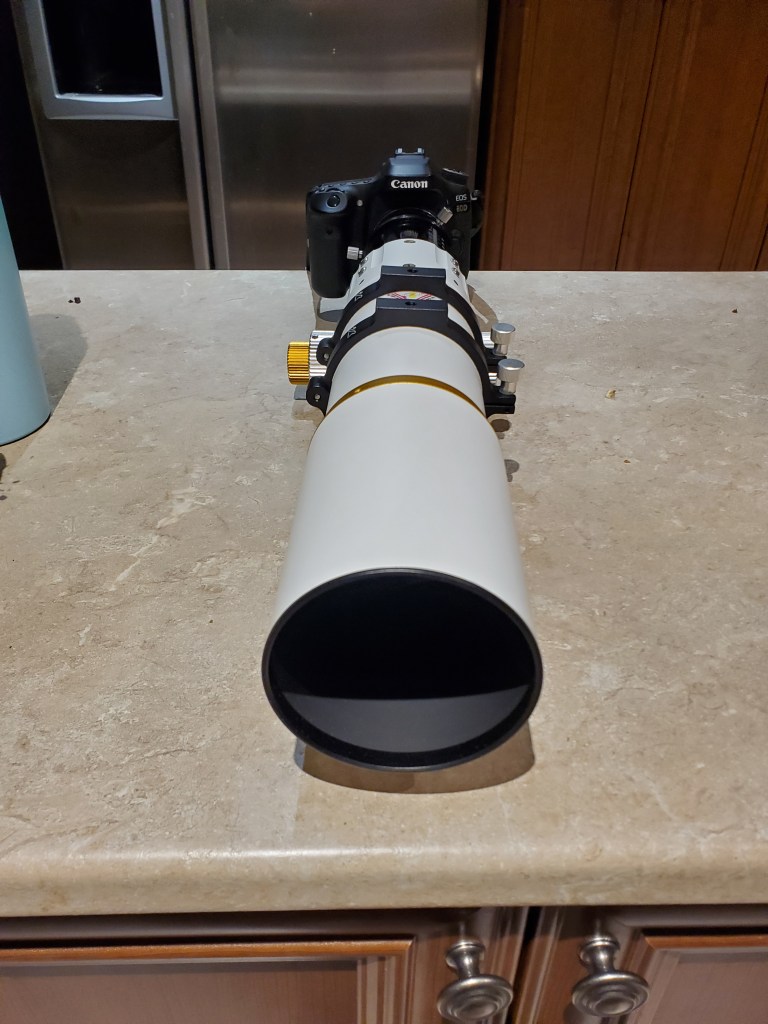
I grabbed by Vixen Great Polaris motorized mount, got it installed in a rough polar alignment and gave it some power to track the sun. The telescope of was my Skywatcher 80ED (600mm f/7.5) simply because it’s the one that I have a solar filter that will fit. My DSLR, a Canon 80D is coupled to the telescope to capture the moment. A longer focal length would have been nice, but that will do. Now all I had to do is wait for a break in the clouds.

Clouds obscuring the solar eclipse
Clouds obscuring the solar eclipse, but a patch of blue sky kept my hopes up

And that break arrived at 12:50pm a few minutes before maximum eclipse (1:18pm). I had to be quick, center the image, adjust the focus and have the camera on the right setting. I settled with ISO 100 and 1/1000s to not over expose and reduce the blurring effect of the atmosphere.

When taking astronomy photos, don’t trust the light-meter of your camera, always check the histogram to ensure the peak image intensity doesn’t pass the 80% mark. You want to be sure you’re working within the dynamic range of your sensor and not getting some clipping.

Intensity histogram to control exposure
Adjust the exposure time to have the light intensity peak below 80% of the range

With that short 15 minute break in the clouds I was able make efficient use by letting my kids view the eclipse with an eye-piece, nothing like an unassisted live view, and then switched the setup to the DSLR for some photos.

Photo of Partial Solar Eclipse, October 14, 2023 (Montreal, QC)
Partial Solar Eclipse, October 14, 2023 (Montreal, QC)

As we are nearing another solar maximum, there’s no surprises in seeing a few sunspots in the photo. I find the sunspots add to the dynamic nature of our sun, that it’s not a steady and static source of light. There are 6 visible active solar regions in the photo, AR3464 and AR3465 being the most visible ones in the middle.

Sunspots 14-oct-2023
The view of 6 active solar regions.

Even though I didn’t have ideal conditions I was happy how the photos turned out and the opportunity to witness this really cool event.

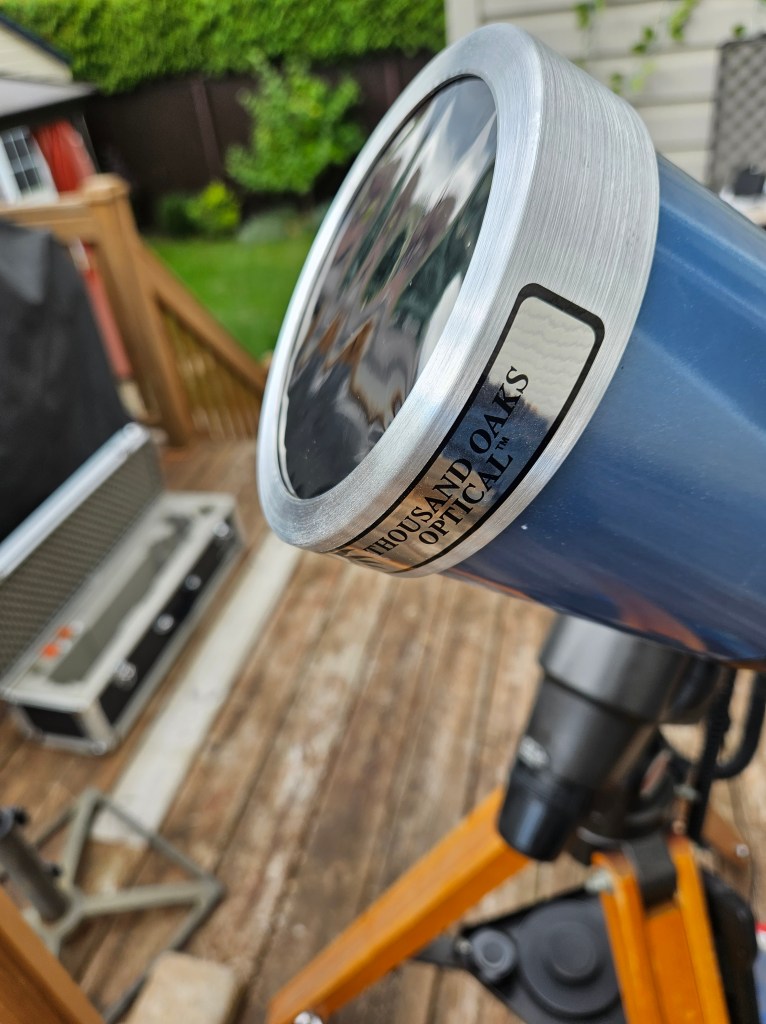
A reminder for all solar observation, the proper filter is required to protect your eyesight and the equipment. If you’ve ever played with a magnifying glass outdoors, you know that focusing the sun’s rays will melt or burn anything. The Thousand Oaks optical solar filter cuts out 99.999% of the sunlight such that observation an photography can be done safely.

Solar filter for safe viewing of the sun and eclipse

Forest Fires and a Red Moon

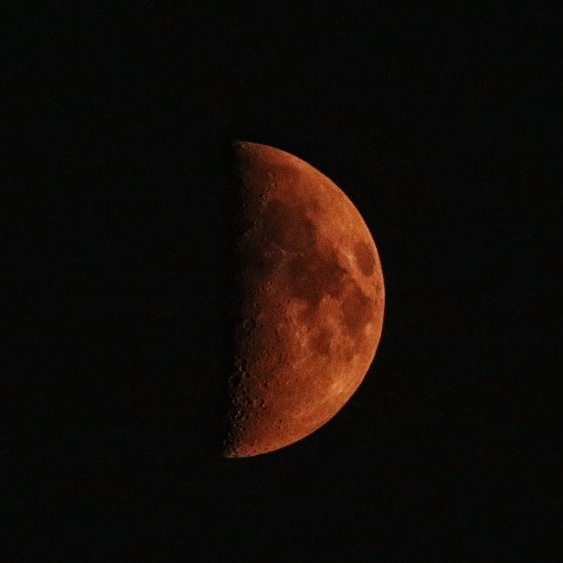
Most people are used to seeing or reading about a Blood Moon during a lunar eclipse. But other atmospheric conditions can cause the Moon to turn red, forest fire smoke being one of them. Due to large uncontrolled forest fires in Northern Quebec and dominant northwestern winds, vaste quantities of smoke made it’s way south to the Montreal area on June 25th creating this eerie blood red moon in the evening.

Red Crescent Moon due to forest fires on June 25, 2023

To comprehend why the moon turns red, we must first delve into the concept of atmospheric scattering. When sunlight reaches the Earth’s atmosphere, it interacts with particles and gases, scattering its various wavelengths. The shorter blue and green wavelengths disperse more easily, giving the sky its typical blue appearance during the day. On the other hand, the longer red wavelengths have a tendency to linger and scatter less, leading to a reddish hue during sunrise or sunset.

When forests experience wildfires or controlled burns, vast quantities of smoke are released into the atmosphere. This smoke consists of numerous particles, such as ash, soot, and other microscopic compounds. These particles can have a profound impact on the scattering of sunlight, resulting in unique atmospheric phenomena, including the red moon.

The particles present in forest smoke, especially those from larger fires, can scatter sunlight more effectively due to their small size and composition. When smoke particles disperse in the atmosphere, they cause the scattering of shorter wavelengths, such as blue and green, while allowing the longer red wavelengths to pass through with less interference. As a result, the moon, which reflects sunlight, takes on a reddish hue when viewed through the smoke-filled atmosphere.

This interplay between the scattered light and the moon’s reflection creates a visually stunning spectacle, where the moon seems to glow with an ethereal crimson radiance.

While the red moon phenomenon caused by forest smoke is undoubtedly mesmerizing, it serves as a stark reminder of the importance of forest conservation and proper fire management. Uncontrolled wildfires can have devastating consequences for ecosystems, wildlife, and humans. Through responsible land management practices, including controlled burns and fire prevention measures, the likelihood of large-scale forest fires can be minimized.

The above photo is a single shot, hand-held, taken with my William Optics Gran Turismo 71 f5.9 triplet with Canon80D. ISO6400 and 1/60s

Photography – 2023 Venus and Pleiades Conjunction

I’m sharing with you a photo I took of the recent Venus and Pleiades conjunction. The closest approach was on April 10th, but I had to wait until the 12th for a clear sky. It was a pretty sight to see the bright planet and the star cluster so close together in the night sky. I used my Canon 80D and a telephoto lens to capture this image. Here are some tips on how I did it:

  • Because I was going to take a long exposure and wanted round starts I used my equatorial mount and installed the camera with a clear view of the western horizon.
  • I set the camera to manual mode, the aperture to f/4.5, the shutter speed to 5 seconds, and the ISO to 1600.
  • I zoomed in with 135mm of focal length for the desired framing and focused on the bright stars using live view. Initially selected a bright star, and then moving to more dim ones for final focus adjustments. I made sure that both Venus and the Pleiades were nicely in the frame.
  • To take a photo without camera shake I used the 10sec delay and then checked the histogram to verified that the result is not overexposed.
  • I then went into the interval setting of the camera to take multiple photos, around 70 in total.
  • I imported the photos into Deep Sky Stacker for the registration and stacking of the photos.
  • Then opened the resulting photo over to GIMP for final adjustments like white balance, levels, color saturation, background gradient removal and noise reduction.
  • I exported the final image as a JPEG. Here it is, click to open full image:
Venus and Pleiades Conjunction April 12, 2023

I was hoping to capture a hint of the nebulosity within the star cluster, but I guess 5 seconds exposures, even when integrated to 6 minutes is not enough to capture that fainter detail. It was around 8:00pm when I took the photos, the sky was not fully dark, making the use of exposure above 5 seconds too bright. However I did manage to capture the colors of the stars down to magnitude 9.

I hope you enjoyed this post and learned something new. If you have any questions or comments, feel free to leave them below. Thanks for reading!

Canon 80D
135mm F4.5 telephoto lens
Individual photos: 5 seconds at ISO 1600
6 minutes total integration time
Vixen GP Equatorial Mount (untracked)
Registration and stacking with DSS
GIMP for final adjustment

Jupiter and Venus Conjunction with camera phone

It’s a interesting to realise that anybody with a smart phone can now photograph our gas giant, Jupiter, located over 865,000,000 km away. You’ll need some better optics to get the moons of Jupiter, but it’s still very impressive that light emitted by the Sun bounced off the planet and traveled space all the way to the small 2mm opening of the lens and sensor on the phone to record a photo.

You’ll have to set the photo app into manual focus and use the “pro” setting to set the ISO and exposure, as the full automatic won’t be able to deal with such small light points in a dark background. But even hand held the results are good, thanks to keeping the exposure above 1/60s.

Below are photos of the Venus and Jupiter in early March taken with nothing more than a Samsung S10. If it wasn’t for Venus being so bright, correctly getting Jupiter would be a greater challenge.

Star Trails – Quick and Easy

Creating night-time images with star trails is the easiest and should be your first project when getting into astro photography.

Back in the day of film, you had to stomp down the diaphragm and use a shutter actuator to take one VERY long exposure. And if something happened during that long exposure (bird, plane, clouds, etc…) your photo was ruined. With digital, you can instead take LOTS of short exposures and digitally stitch them together, leaving out the ones that got ruined.

Setup your camera to take a series of short exposure photos, 10 seconds is good. For some tips on how to setup your camera, head over to my Astrophotography Cookbook page.

If you are starting out, or want to simply do this quickly, skip taking Bias, Dark and Flat photos. These are used to improve the final image processing and make more sense when you wish to do some deep sky stacking.

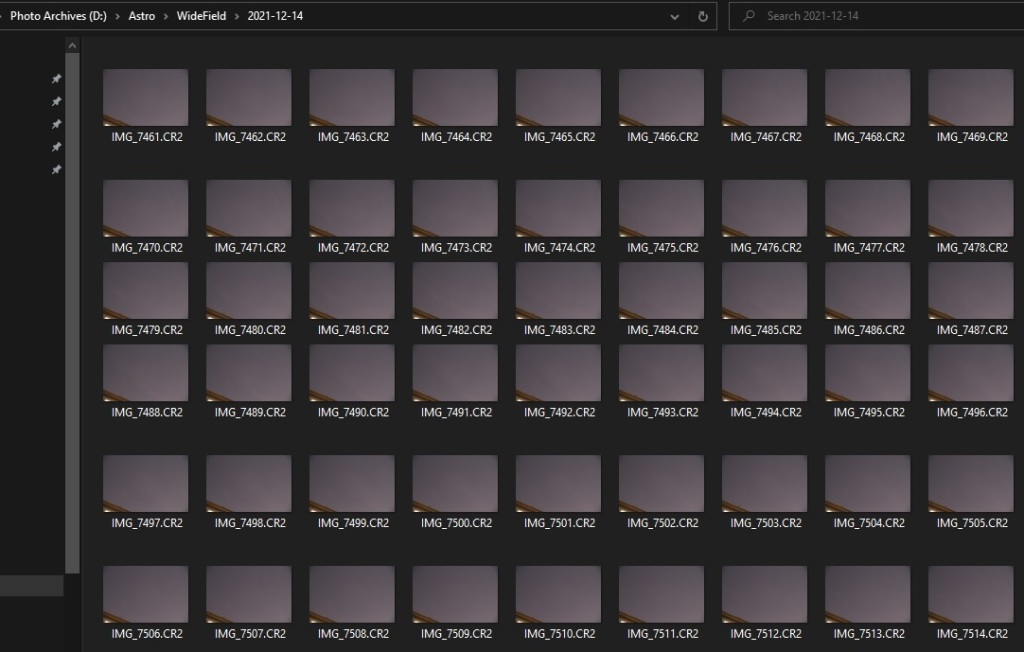
For this exercise I configured the intervalometer of the camera to take 10 second exposures with a 1 second pause between (i.e. the shutter is pressed every 11 seconds and each click is a 10 second exposure). I left the camera operating for a little more than one hour, with the result over 400 photos captured.

It’s important to review all the photos and note down the ones to exclude from the final image, things like camera movement because you knocked the tripod, a plane, clouds, etc. It’s possible that from the 438 photos taken, only the range 5 to 352 will be good to build the star trail image as clouds decided to roll into view on the 353rd photo.

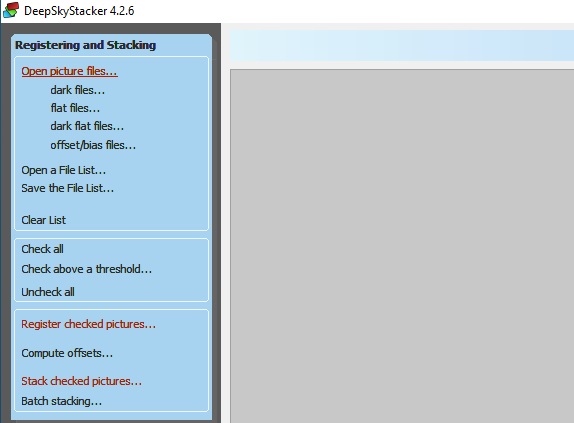
The next step is to import the photos into Deep Sky Stacker. This is done by using the Open picture files… command. As I mentioned earlier, the dark, flat and bias can be skipped, these are not required. But if you have them, they will improve the quality of the final image. Don’t forget to select Check all before moving to the next step, and to uncheck any photos you want to exclude if you did a bulk import.

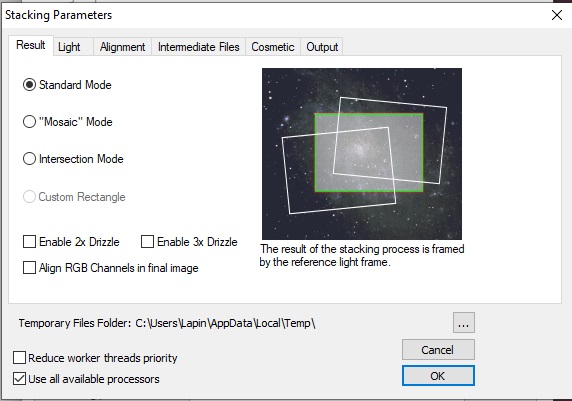
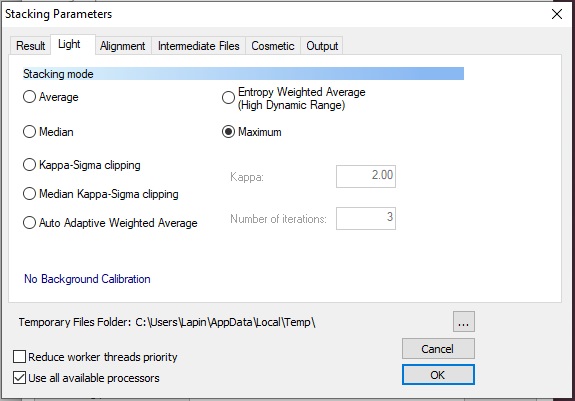
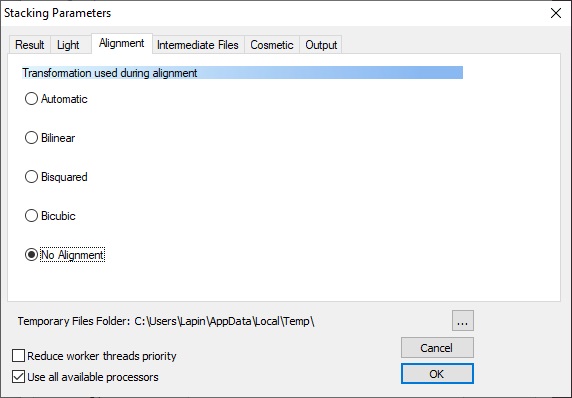
Once the photos are selected, go straight to Stack checked pictures… In the window that pops-up, hit the Stacking parameters… button and select the following:

  • Result – Standard Mode
  • Light – Maximum
  • Alignment – No Alignment

The remaining tabs can remain with the default setting. Hit OK and the program will now start processing all the photos. Note that DSS will still register each image even if you selected No Alignment. If you know how to prevent this waste of time, please tell me in the comment below.

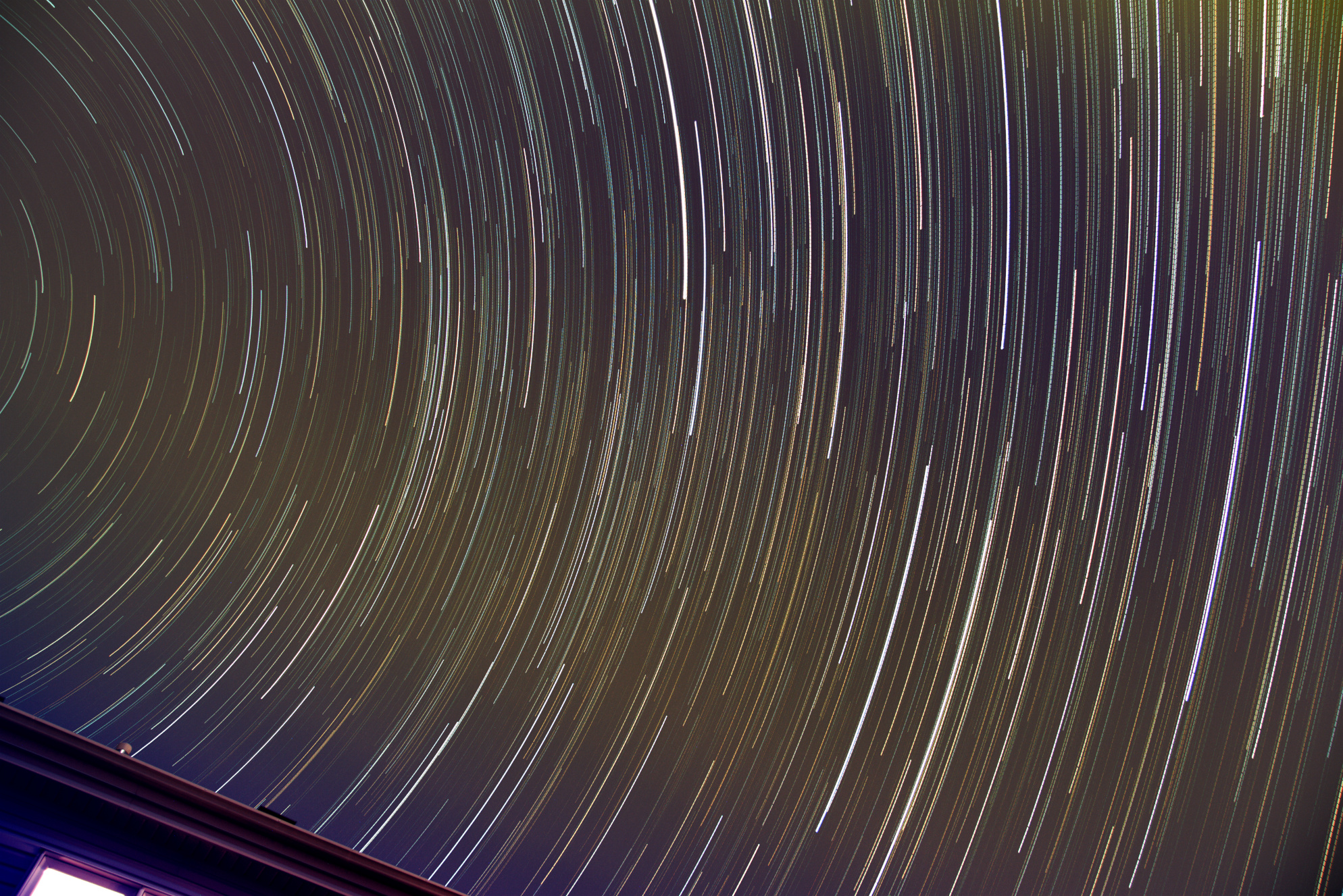
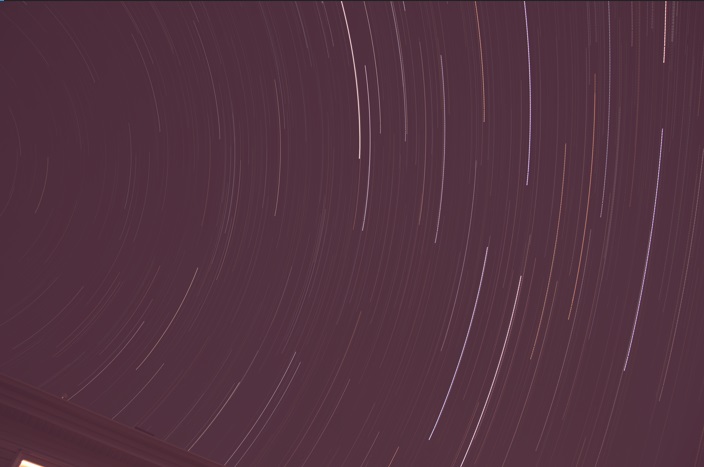
The end result is something like the image below. Base on your the quality of your sky, the camera setting, color balance, etc… various level of work will be required to make it look nice, but you now have something to import into your photo editor and correct all that.

In my Post-processing section of the Astrophotography Cookbook, I provide some tips on how to correct for things like sky gradient.

Clear dark skies!

December 13 – Trying to catch the Geminids

About a week ago I crossed on my news feed that the Geminid meteor shower was peaking on the 13th and 14th and it should be a good year. At the same time I saw some pretty impressive photos of photographers catching spectacular fireballs as these tiny dust and grains of rock plunge into the atmosphere.

Braving the below freezing weather I setup the Canon 80D on a tripod in the back yard to see what I could catch. I read that the best time for the Geminids is 2am, I wasn’t going to stay up that late on a weeknight, so 10pm would have to do.

Wanting to capture as much of the sky as possible, the zoom lens is set to 17mm and wide open at F4. Note that I live in the city with considerable light pollution (I guess that’s what happens when electricity is cheap) which meant only the brightest meteors would be visible. Playing around with the settings I quickly concluded that at ISO1600 10-seconds of exposure would be the longest I should use to avoid having an over exposed sky. Normally it’s best to have the image intensity peak on the left half of the histogram. This can be quickly checked by viewing a captured image and selecting the Info option.

The camera operated for over an hour and managed to take 304 images before the memory card was full. The camera could have kept going much longer had I wiped the card clean before setting up as the battery still had over 25% charge.

Once the photos transferred on computer I reviewed all the images and identified those that had what appeared to be a meteor, plane or clouds such that I could do the necessary processing later on.

I know the chance of catching a spectacular fireball is slim, but it’s still interesting to review the images for any surprised and explore the various types of processing that can be done.

The easiest and quickest thing to do with all these images is a time-lapse movie. This is essentially a no-brainer. I used Canon Digital Photo Professional 4 to perform some color and brightness corrections on the photos prior to creating the movie. The benefit of this software is that you can save the “recipe” you used on one photo and apply it to all. I also did a batch processing to generate individual JPEG with 1080p of resolution to limit the quantity of GB of intermediate files required for this time-lapse movie.

The clouds that showed halfway through the sequence limited what I could do next with regards to “processing”. My next plan was for star trails!

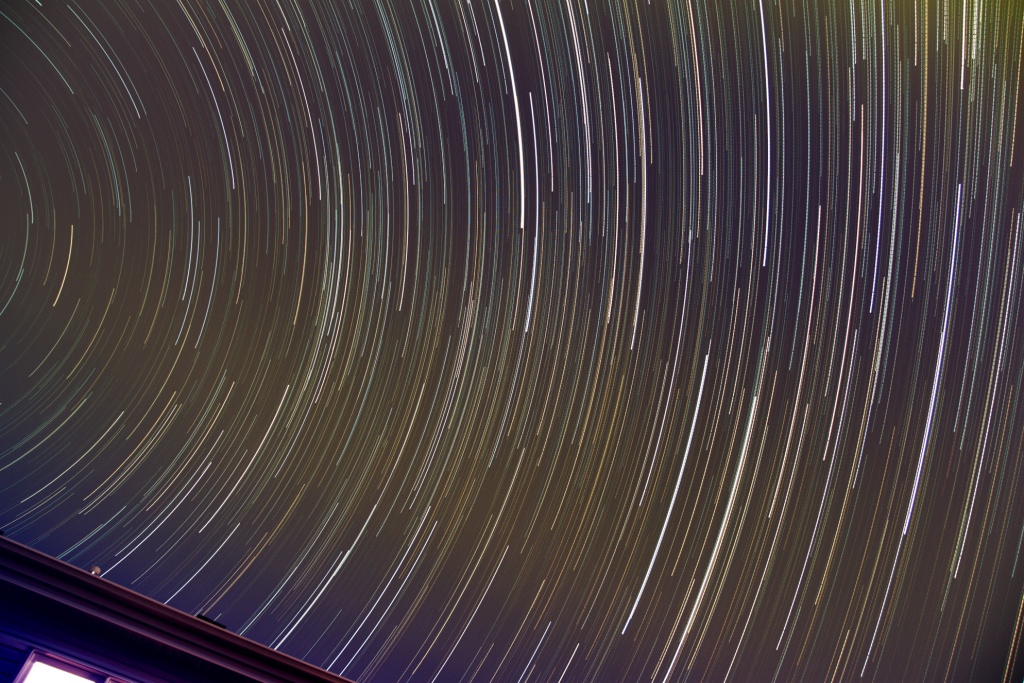
I selected the longest stretch of images without clouds and then stacked them without alignment, using the ADD MAX operation in DSS. The result will be star trails as well as light trails from any passing plane. The image below is 122 individual 10 second exposures for just over 20 minutes total exposure time.

Tracks from two planes are clearly visible over the arc motion of the stars. A third plane much higher and on a different flight path also crossed the image if you pay close attention.

The timelapse and the star trails are two quick and interesting results from the photo session, but that was not my initial plan. Next I created a “starless” version of my night sky to serve as a background. This was achieved by selecting 8 images 1 minute apart and stacking them using the SIGMA MEDIAN operation. DSS will compare the pixels of all 8 images and if it falls outside a defined sigma distribution, the pixel will be replaced with the median value. As the images are once again not registered or star-aligned, the foreground will remain fix while the stars will move. As the stars move between each image, they will fall outside the sigma distribution and will be replaced by the median value instead.

With my starless image completed, the next step is to use GIMP to blend together the individual meteor trails with the starless nigh sky image. I use a MASK to select just the meteor trail of each photo that I previously identified contained a meteor. Each photo was manually added as a layer to the starless background.

Picture saved with settings applied.

There’s a total of four faint meteor trails as well as one very bright but short lived meteor in the middle. That short bright one ended up being special. Most meteor trails appear only on one frame, but this one left a smoke/dust trail that lingered for a few frames (40 seconds) and can be seen drifting in the high-altitude winds. To best see this, I selected some photos, cropped, enhanced the individual frames and generated an animated GIF.

The last processing I did was select a large sequence of photos that had no clouds or planes but this time register them such that the stars would be aligned between each frame. I simply did an ADD AVERAGE to stack the 62 individual photos, creating the equivalent of a 10 minute exposure of the night sky.

Because the field of view is wide, and I wasn’t in a particularly dark sky area the resulting photo isn’t that interesting, not like some of the other ones of the Milky Way taken while camping away from cities. However I was able to crop the image down to an area that had multiple Open Star Clusters showing up. Swipe to see the photo with the Open Star Clusters identified by their Messier Catalog number.

Click here to enlarge the above photo.

There you have it, a camera outside on a tripod for 1 hour and plenty of interesting results.

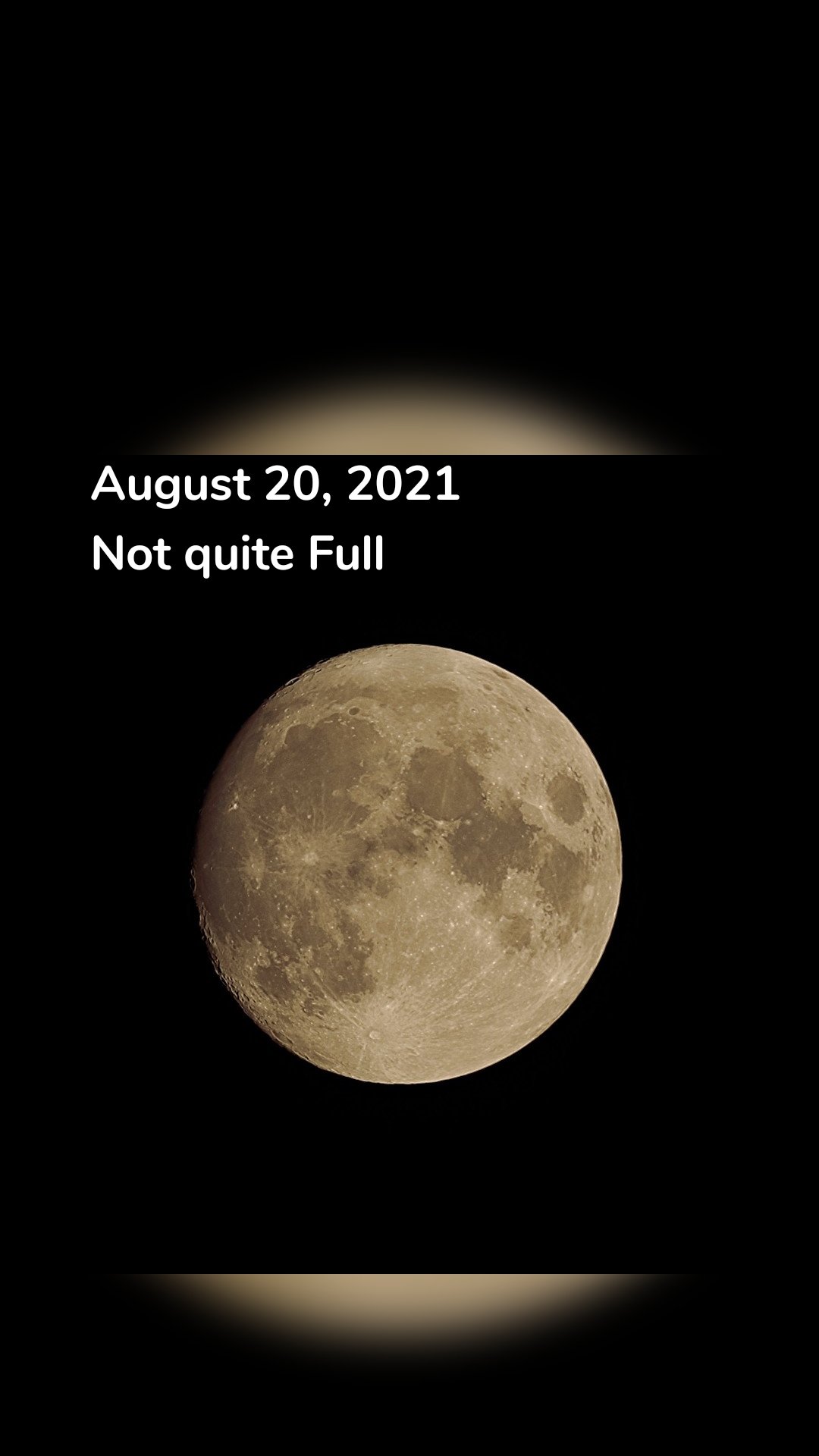
August 20, 2021 Not Quite Full

August 20, 2021
Not quite Full